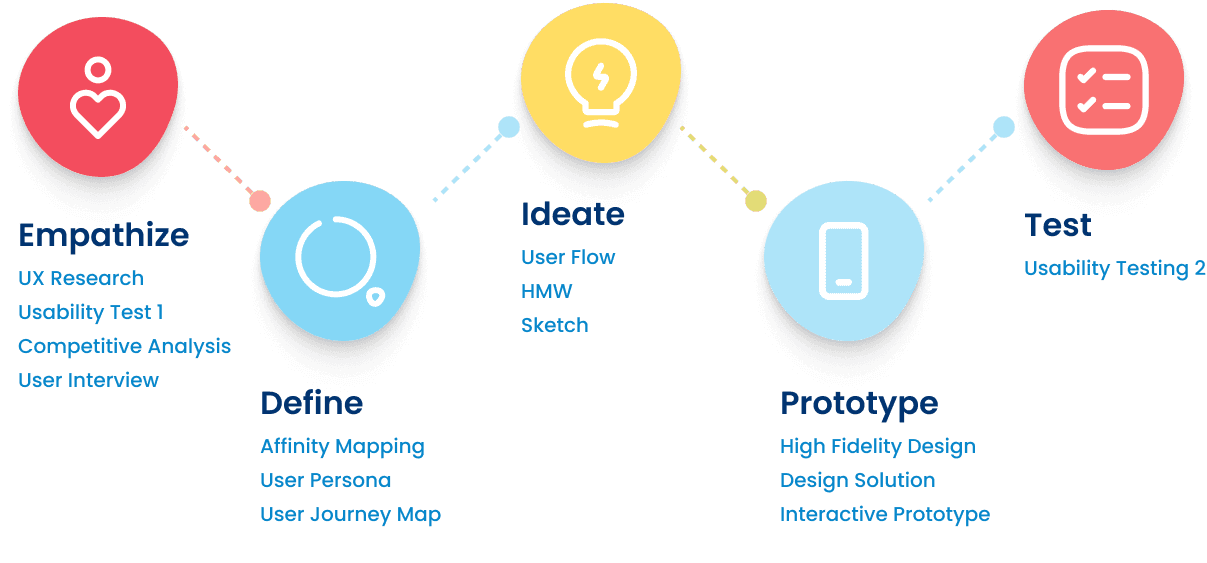
Design Thinking Process
I decided to conduct UX research to create an application that is user-friendly and valuable. the purpose was to understand the needs, challenges, habits, and expectations of users when using the Glints app for job search
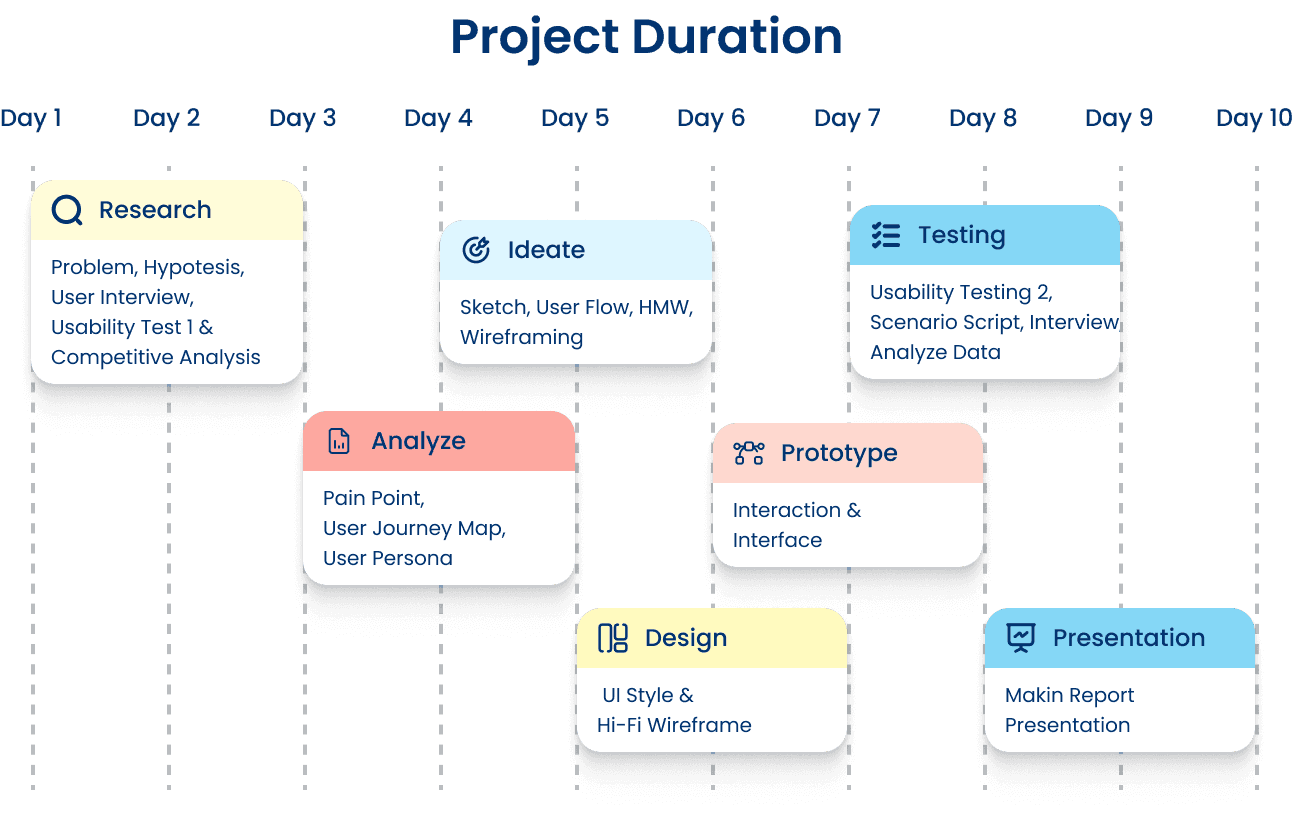
Project Duration
Empthatize
1.
Qualitative Research
GATHERING PARTICIPANTS
To understand the needs, challenges, and habits of Glints apps user, I did user research through in-depth interviews with 7 respondents who met the following criteria:
20-30 years old
Final-year university students, Fresh Graduates, and Jobseeker
The respondents were divided into two segments:
- Active Users: Those who have actively used the Glints app to apply for jobs
- Non-Users: Those who have never used the Glints app to apply for jobs
2.
Question
As this project aims to enhance more new users by attracting more entry-level job seekers and fresh graduates to the Glints app, the research was specifically designed to gather feedback from potential users. Participants were given a set of task to explore the Glints app and provide insights based on their experience.
What job application portals/websites/apps do you know?
Have you ever used the Glints application to apply for jobs? If yes, how did you feel about using the Glints application?
What challenges do you face when you have just graduated and need to apply for jobs?
What motivates you to be interested in using the Glints app for job applications?
In your opinion, what can be done to enhance your experience when using the Glints application?
3.
Preliminary Usability Testing
TASK 1
The user login into the Glints application, then selects the field of work and location that matches their interests
TASK 2
The user applies for a job in their preferred field until the application submission process
TASK 3
The user changes the field of work and work location
TASK 4
The user searches for the bookmark or saved job applications page
TASK 5
The user searches for a webinar class with a specific field or title
TASK 6
The user searches for jobs based on suggestions provided in the description of a particular job posting
TASK 7
The user checks the schedule and tickets of webinars they have purchased
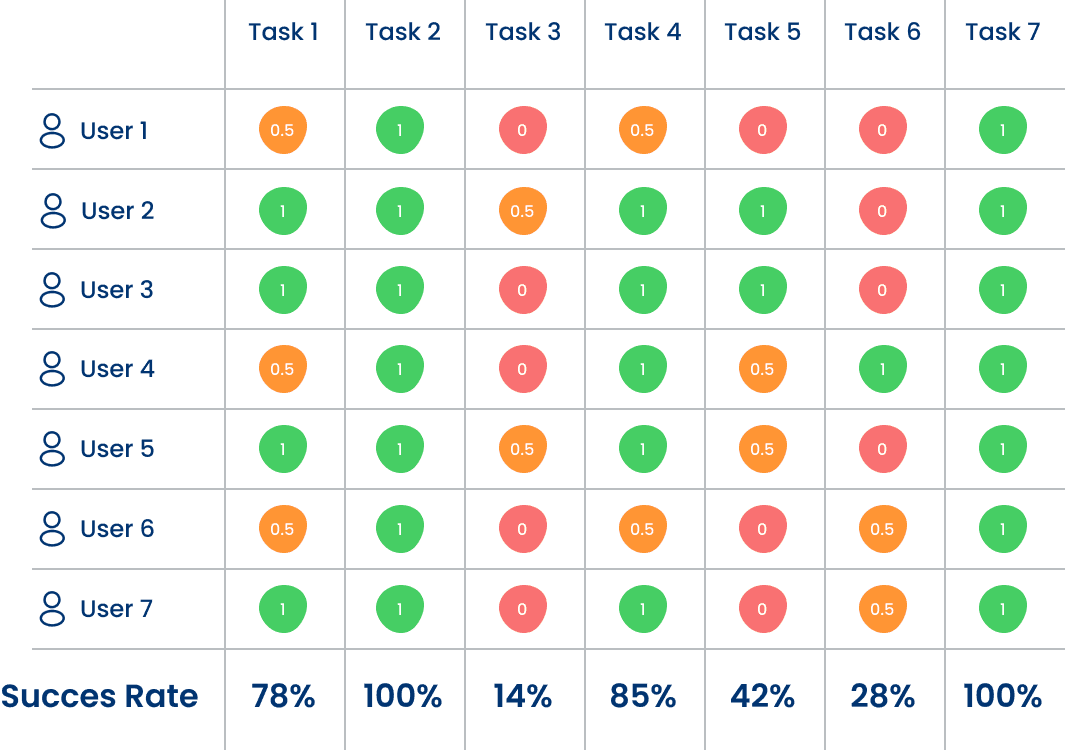
AVERAGE SUCCESS RATE
63.8%
4.
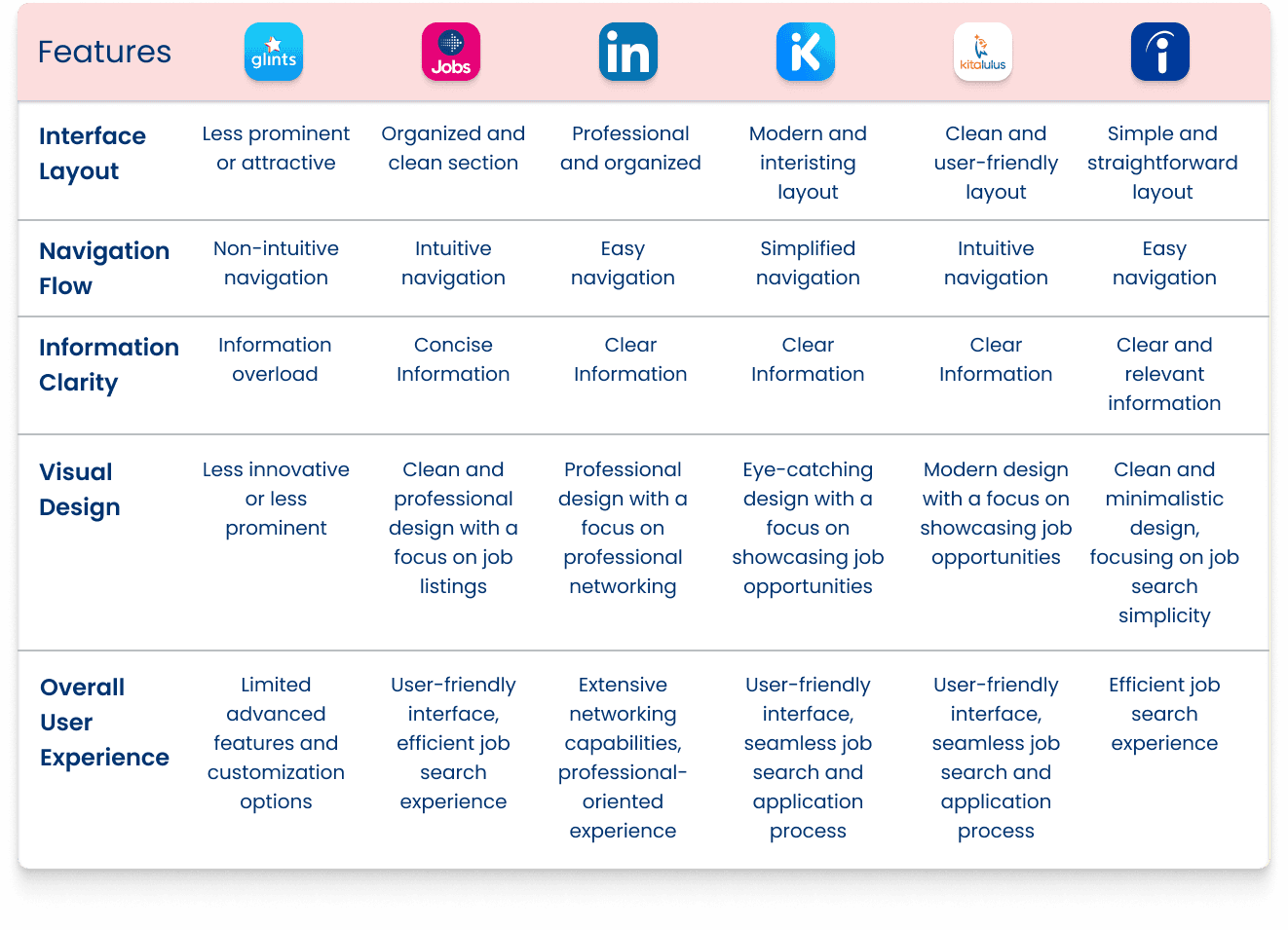
Comparative Analysis
In this case, I took 5 competitors. I installed and analyzed them for comparison, as well as interviewed users who have already used the competitor's app
Define
1.
Affinity Mapping
After conducting in-depth interviews with 7 respondents, several pain points were identified from users, and I consolidated their issues based on similarities
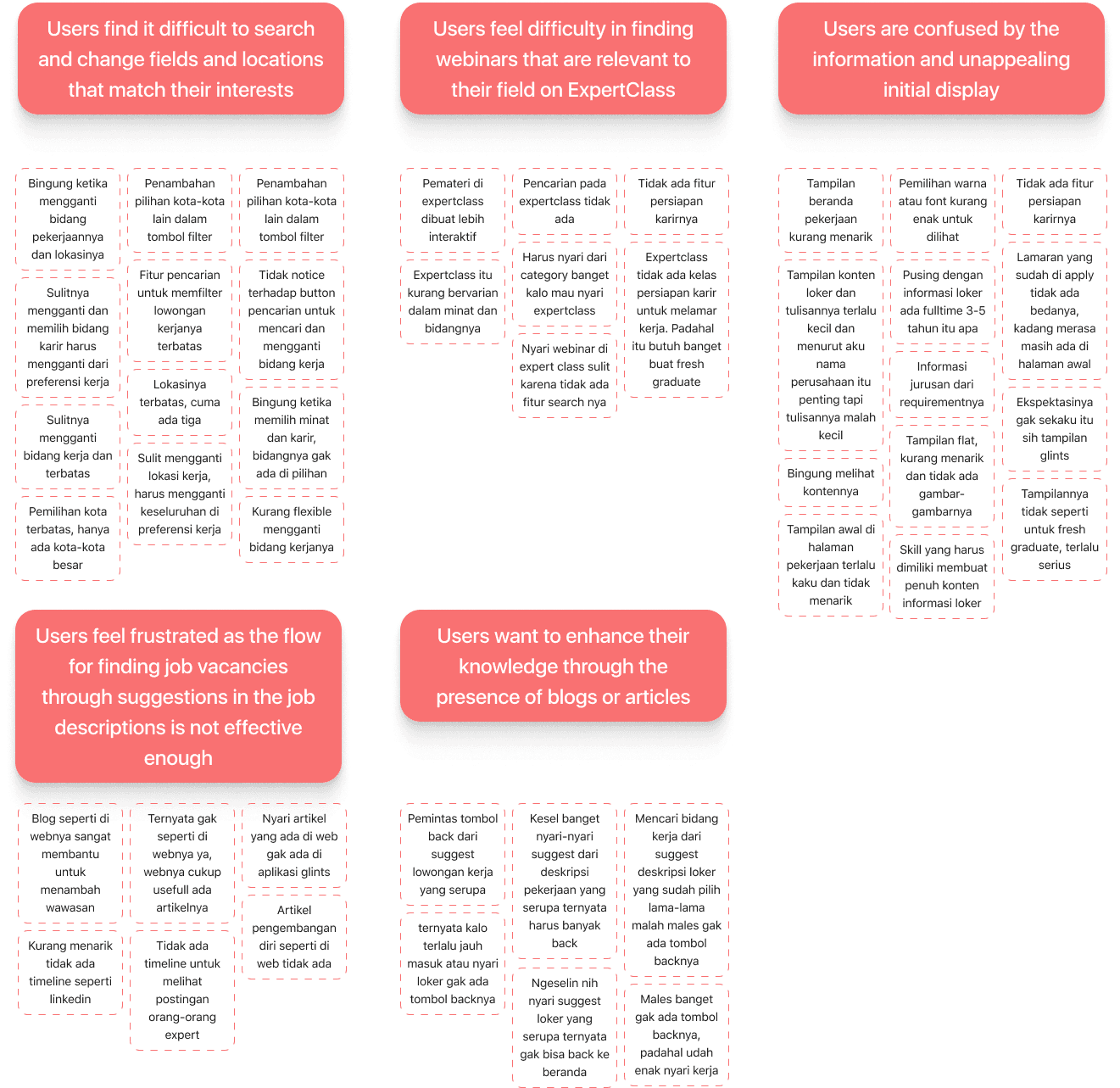
"Where should I go to change
my career field and location?"
"The overwhelming amount of information
and its presentation is confusing to me."
"I want to enhance my knowledge
but finding it is difficult."
2.
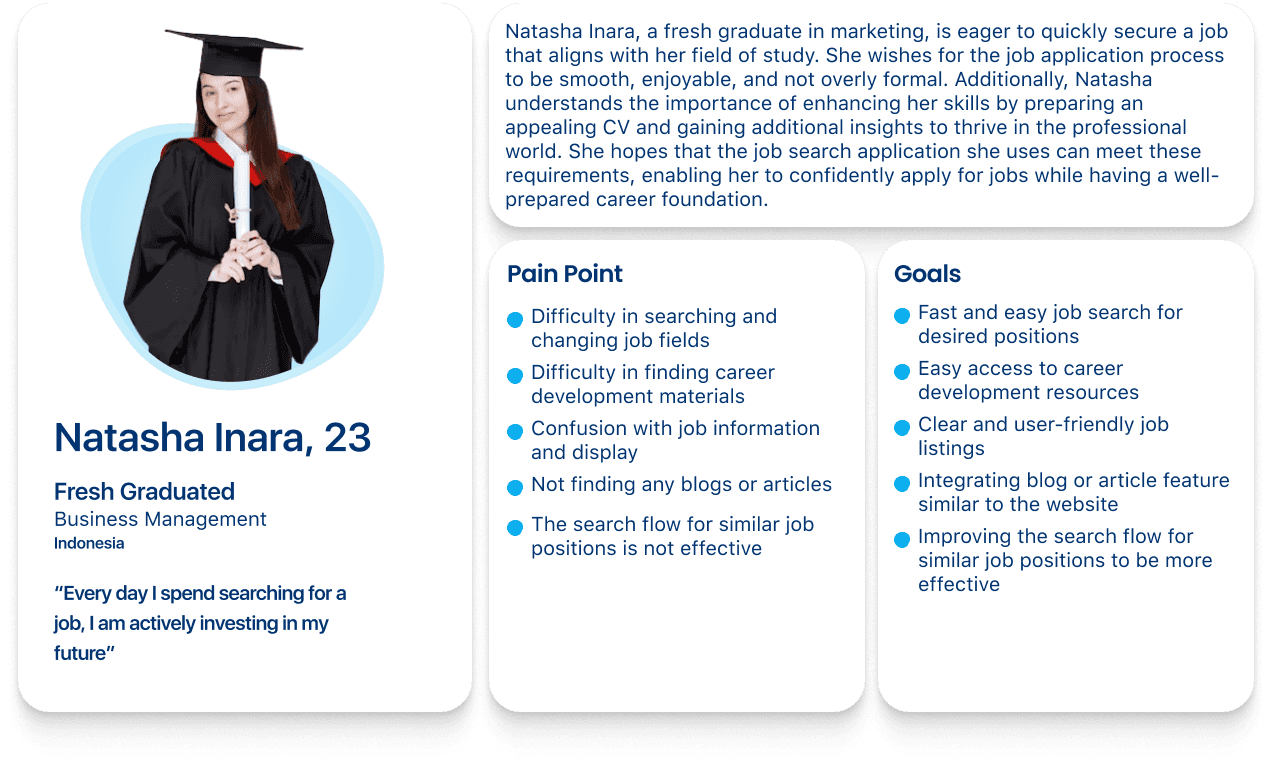
User Persona
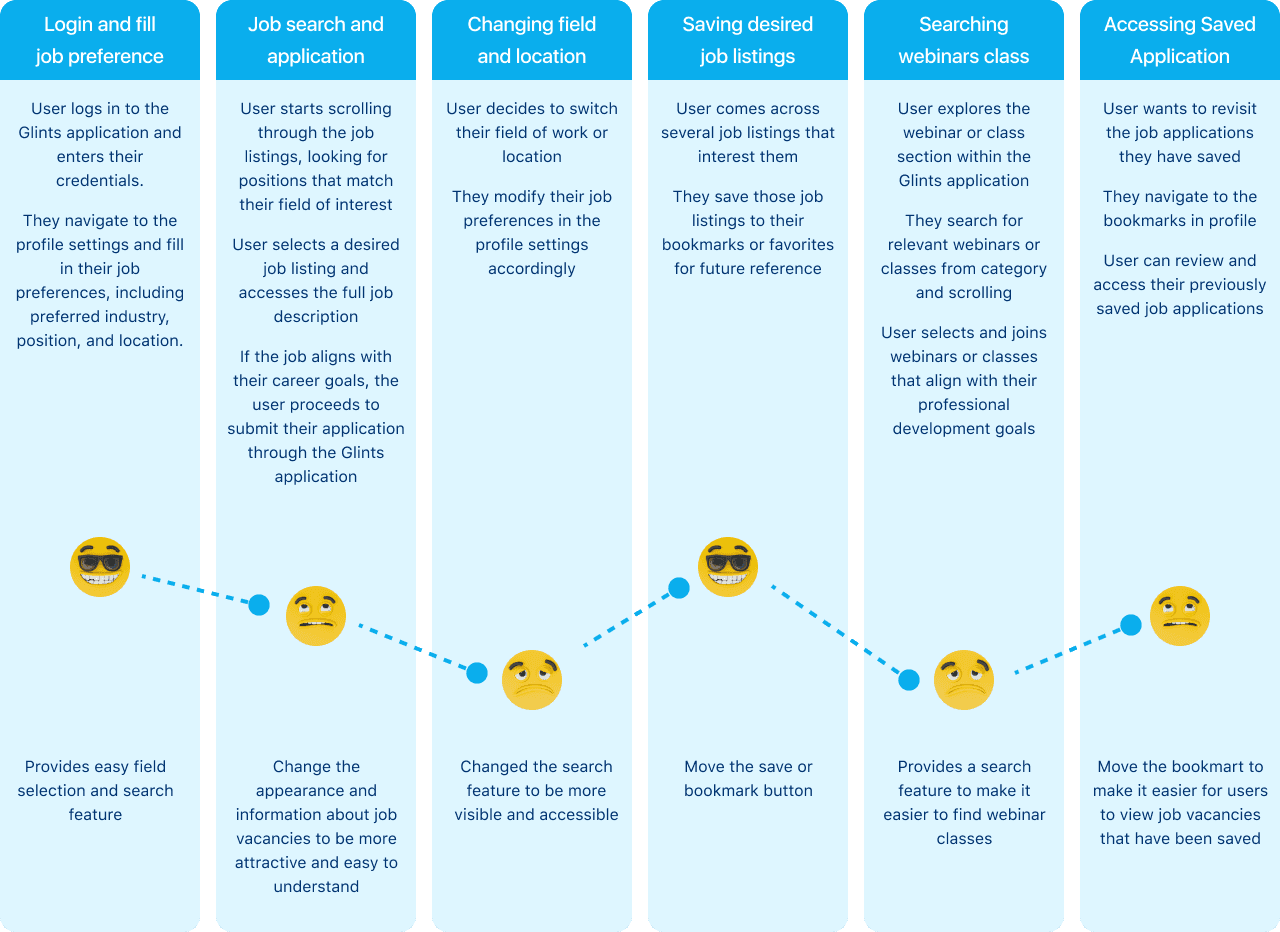
After mapping the insights, I analyzed them all in order to build a persona and user journey allowing me to better understand their needs, expectations, and purpose of using this app
3.
User Journey Mapping
A Visualization when a fresh graduate and job seeker looking for a job and
find webinars
Ideate
1.
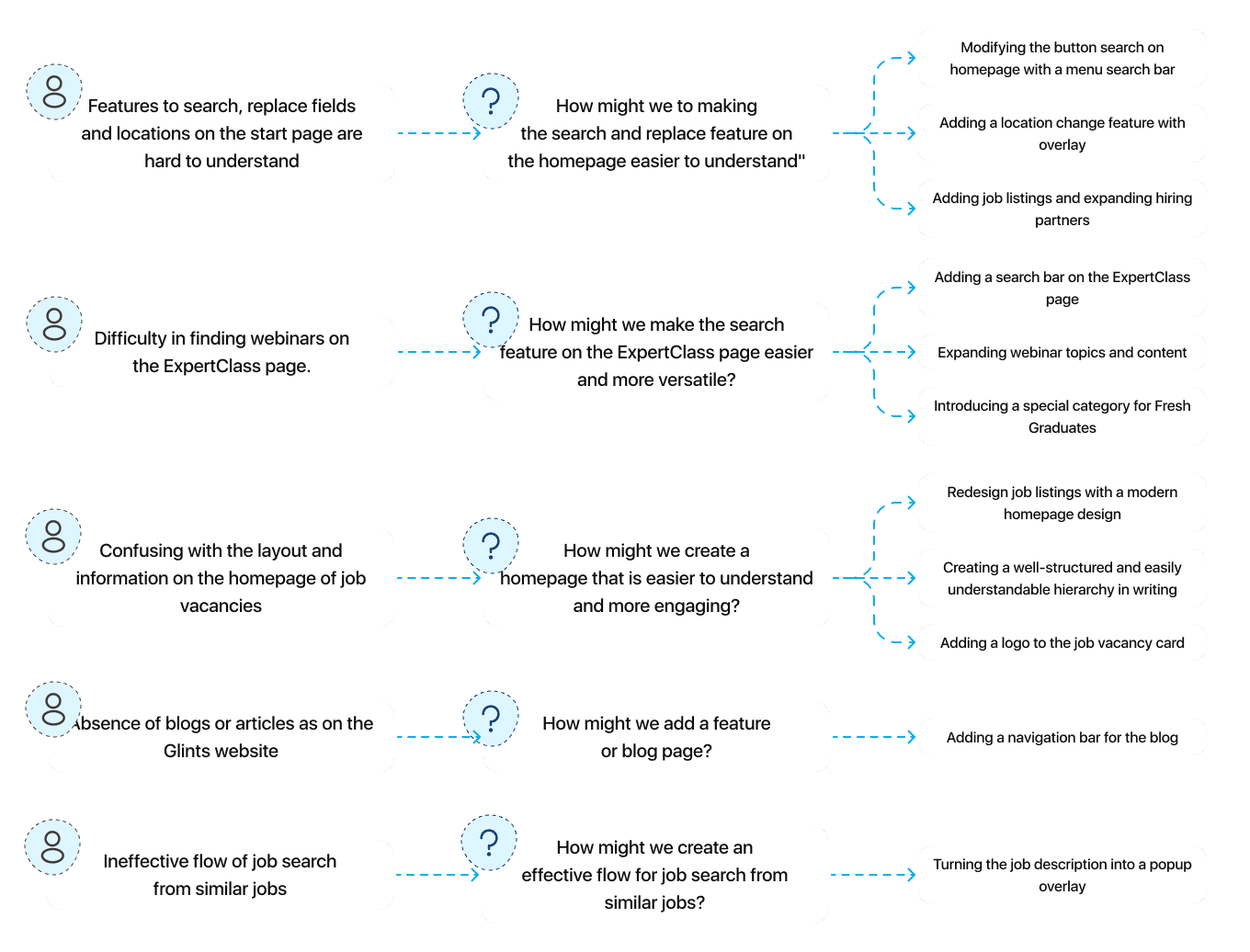
How Might We
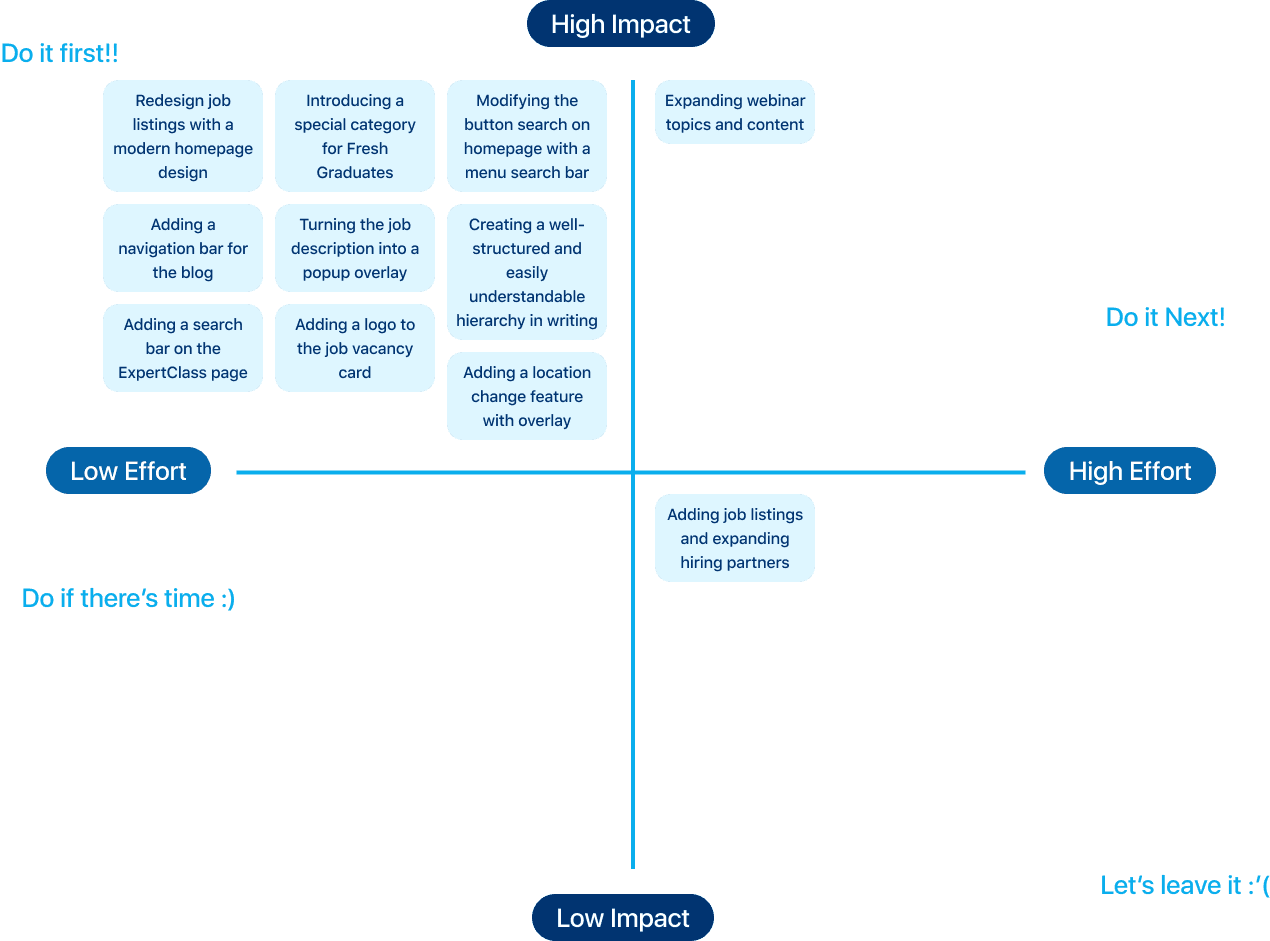
Based on the problems and key insights I obtained from previous user interview sessions, I've conducted a how might we session to gain a solution-triggering question. I then organized all of the ideas while prioritizing the high-impact and low-effort ones.
2.
Priority Matrix
3.
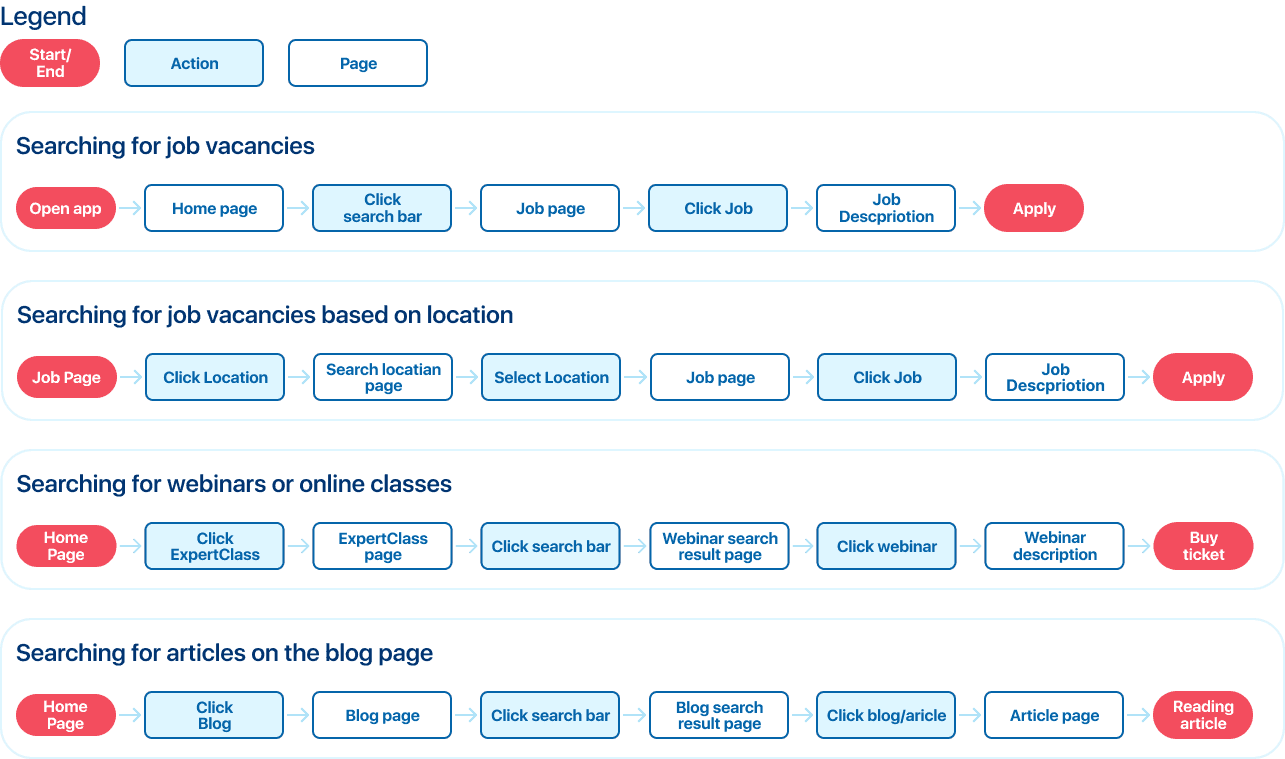
User Flow
In creating the user flow, I decided to divide it into 4 user flows based on tasks for usability testing.
4.
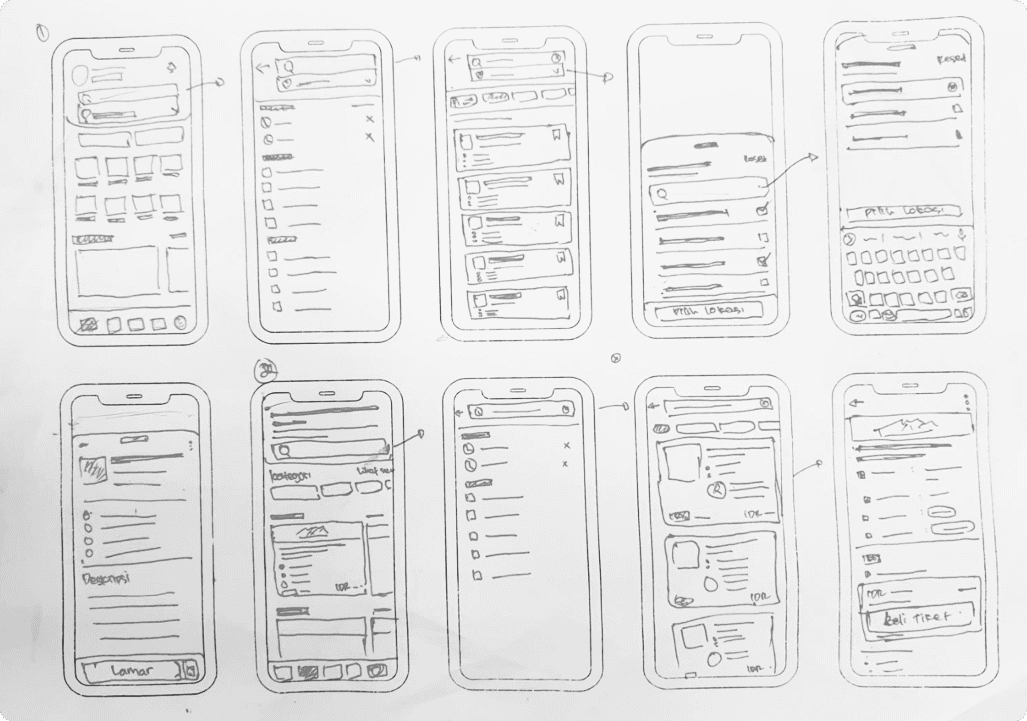
Sketching
UI Style Guide
1.
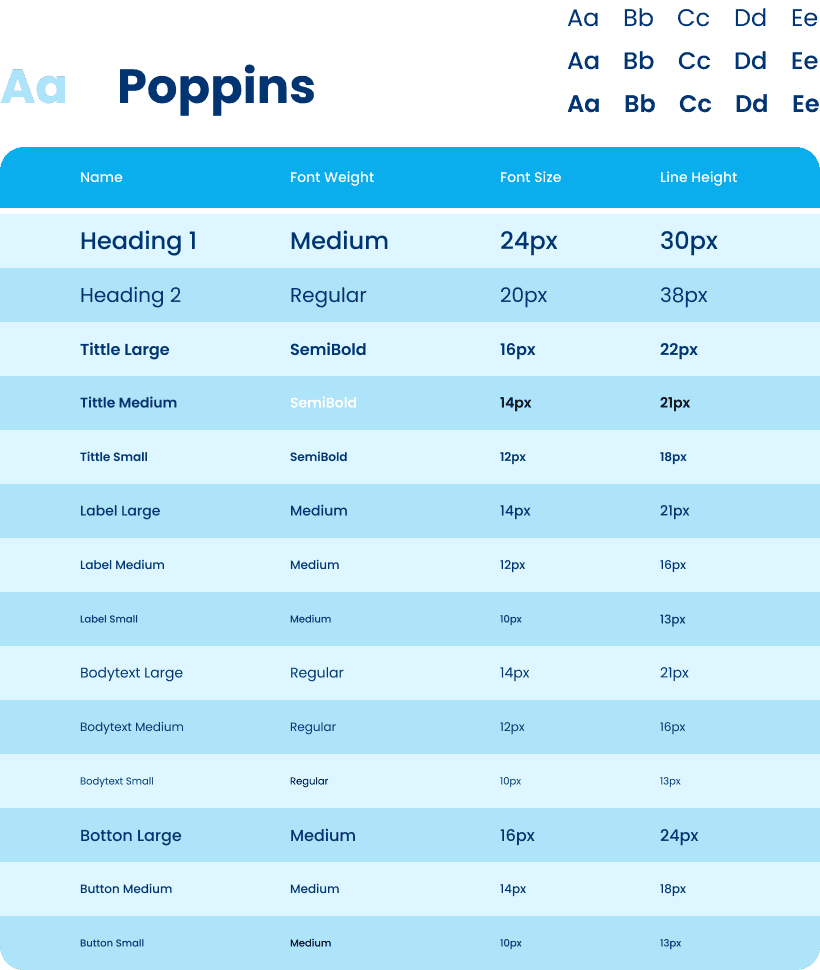
Typography
2.
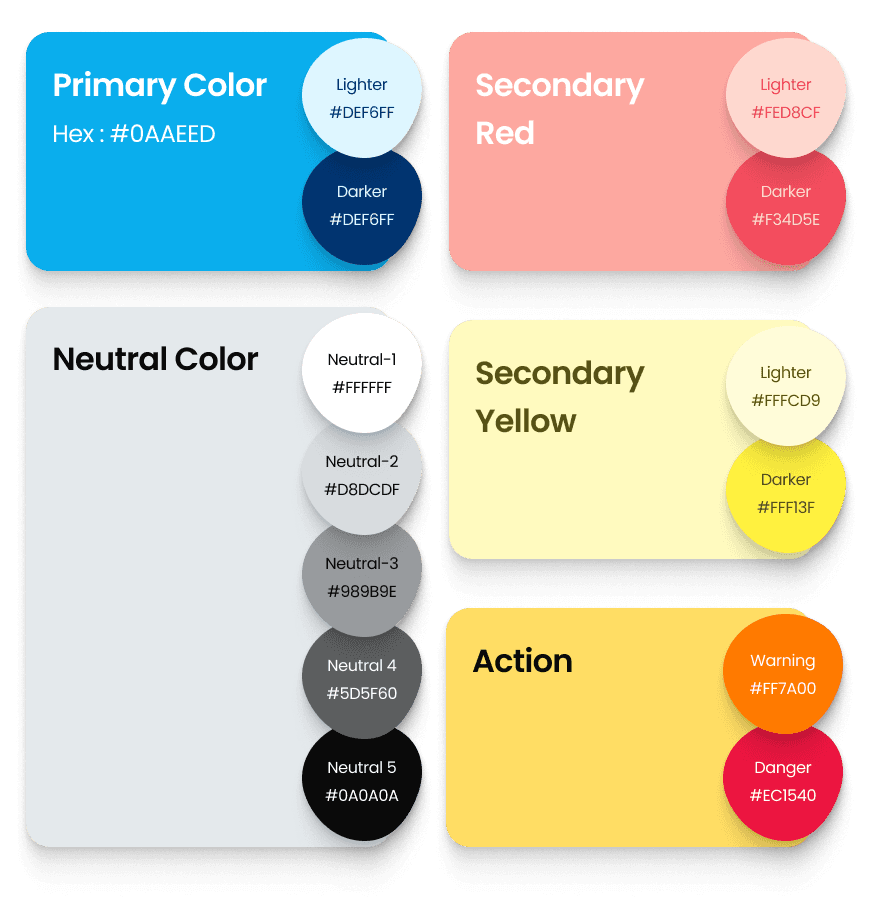
Colors
3.
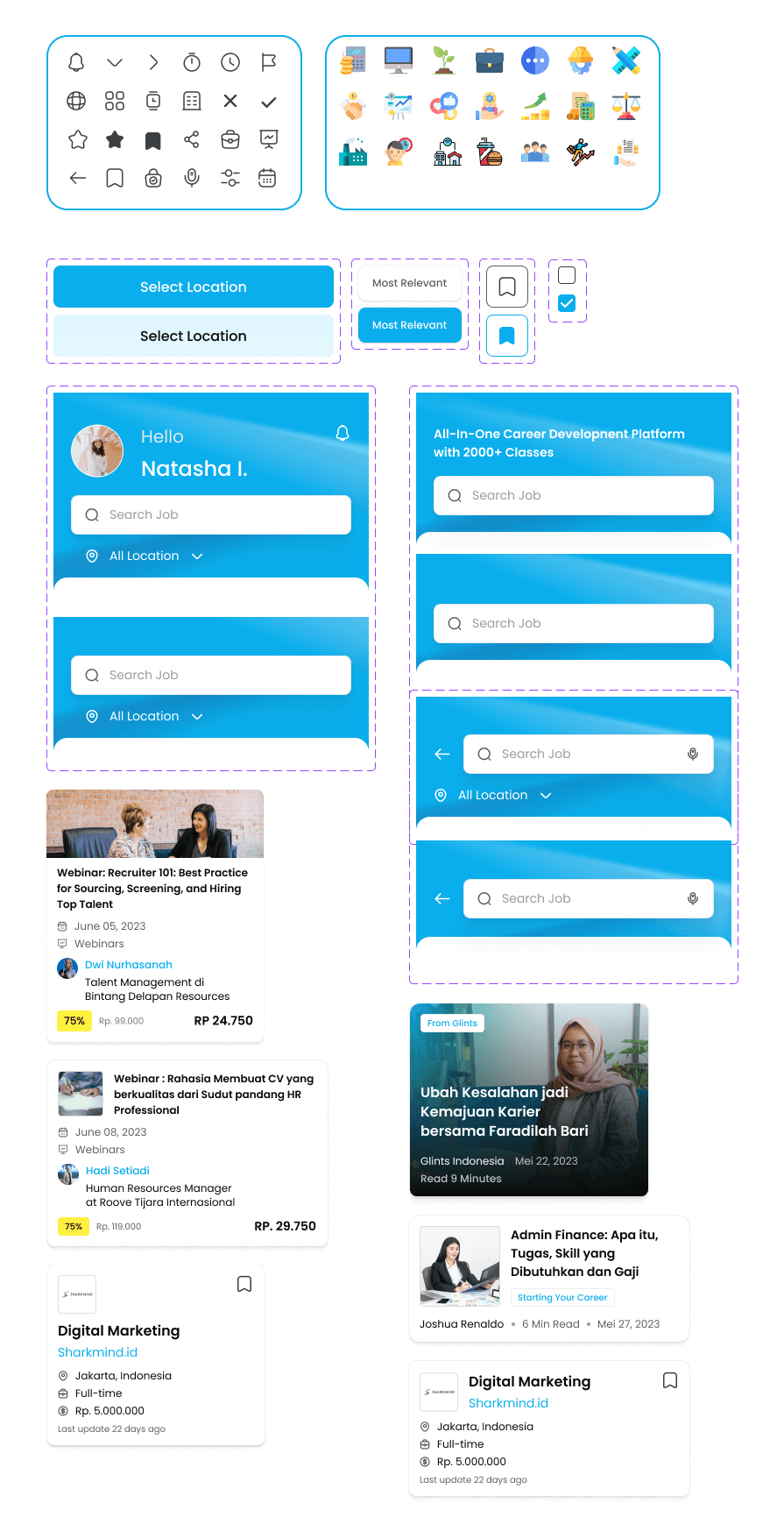
Components
Design Solution
1.
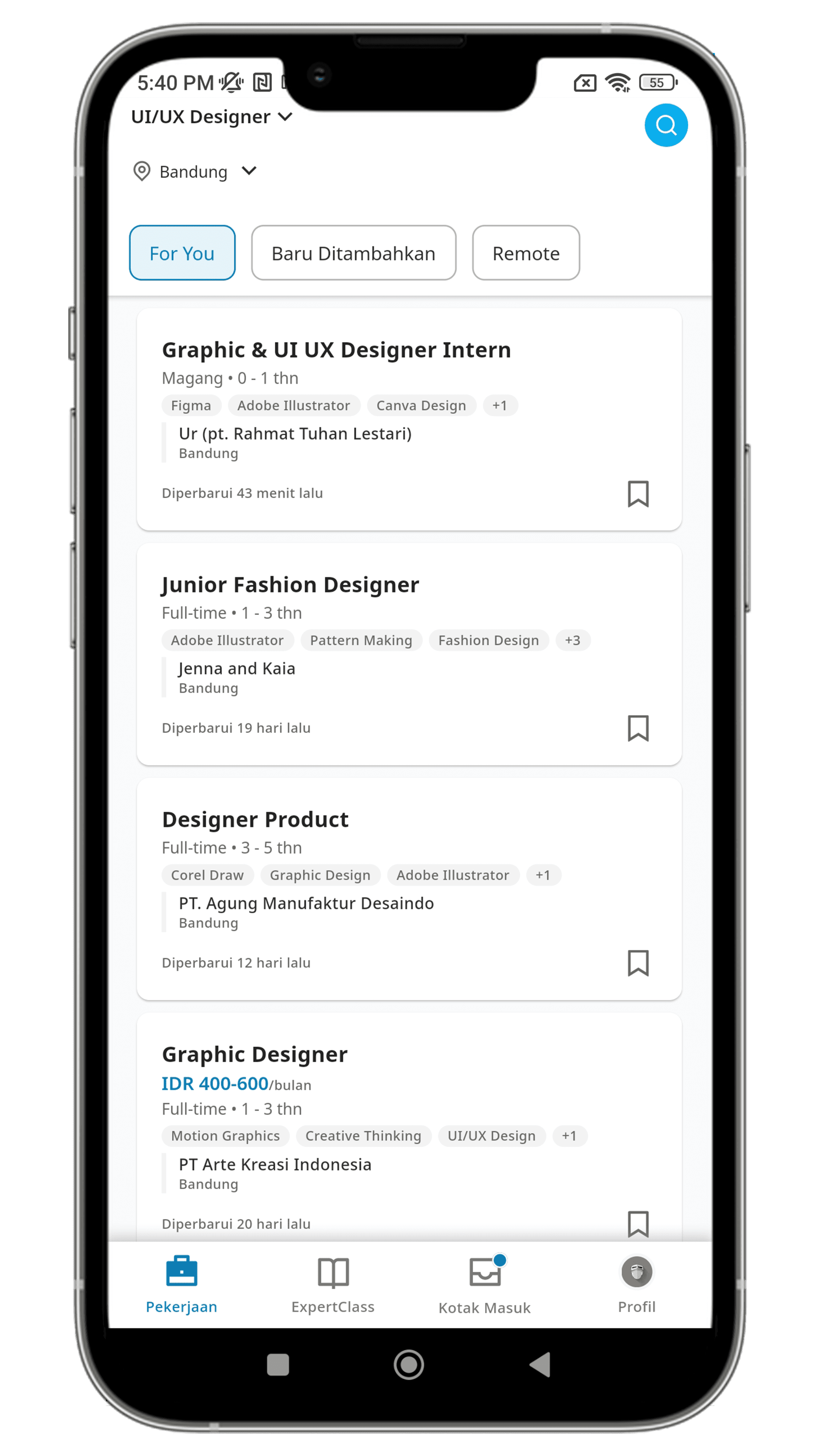
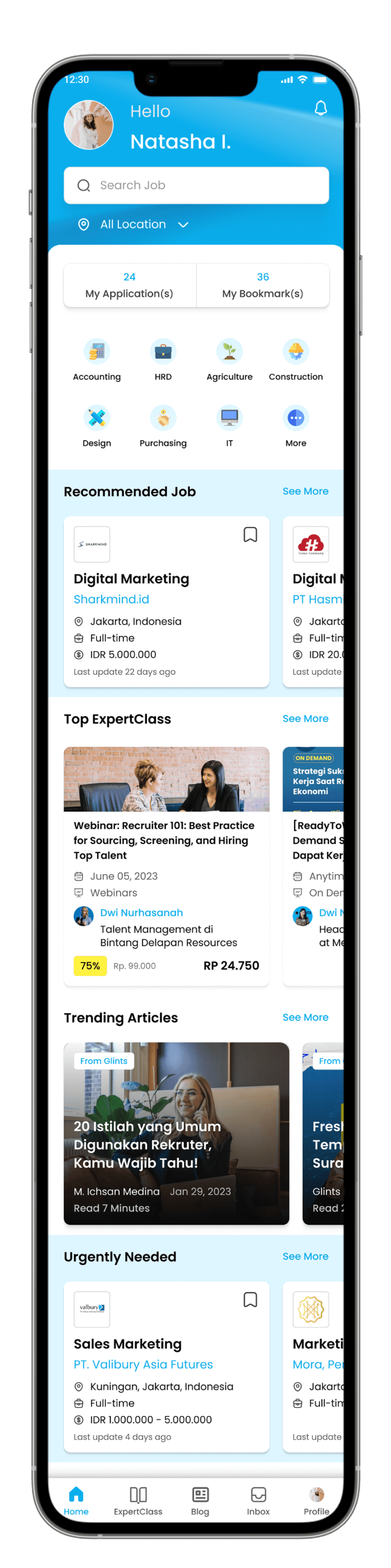
Homepage
Before
After
The initial display directly shows the job page, and users feel that the layout is rigid and lacks innovation. The search button is small, making it less noticeable for users to perform a search.
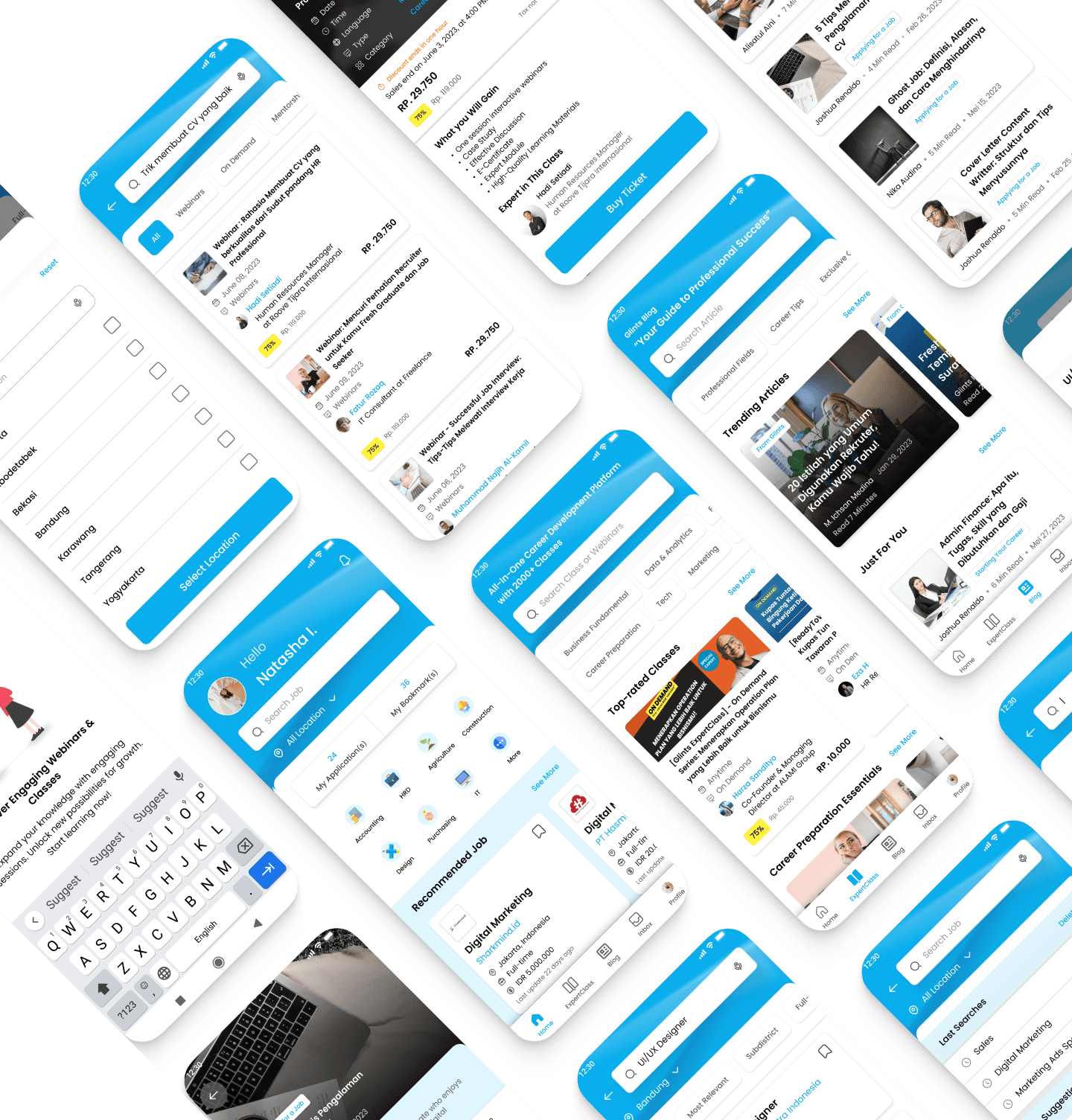
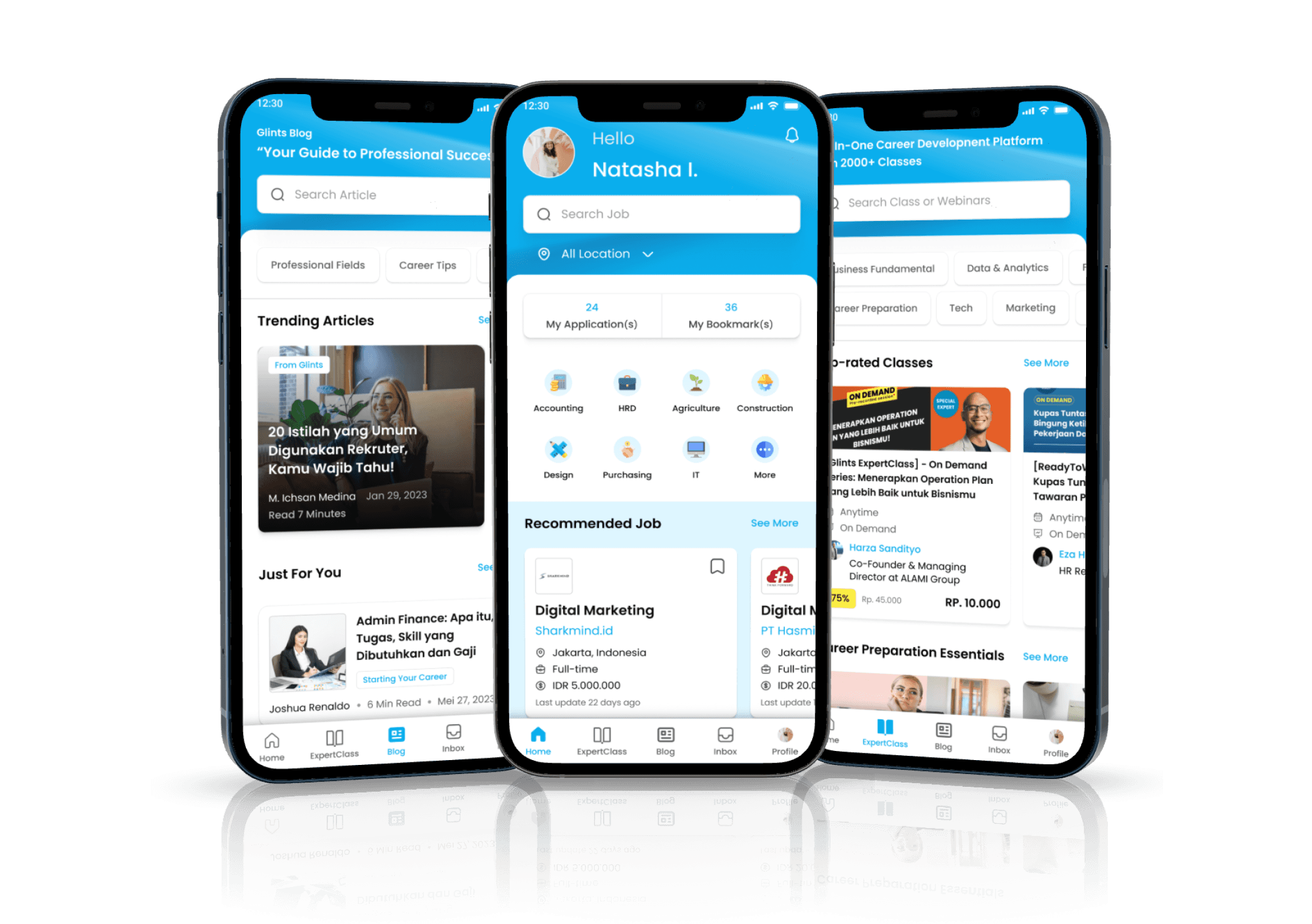
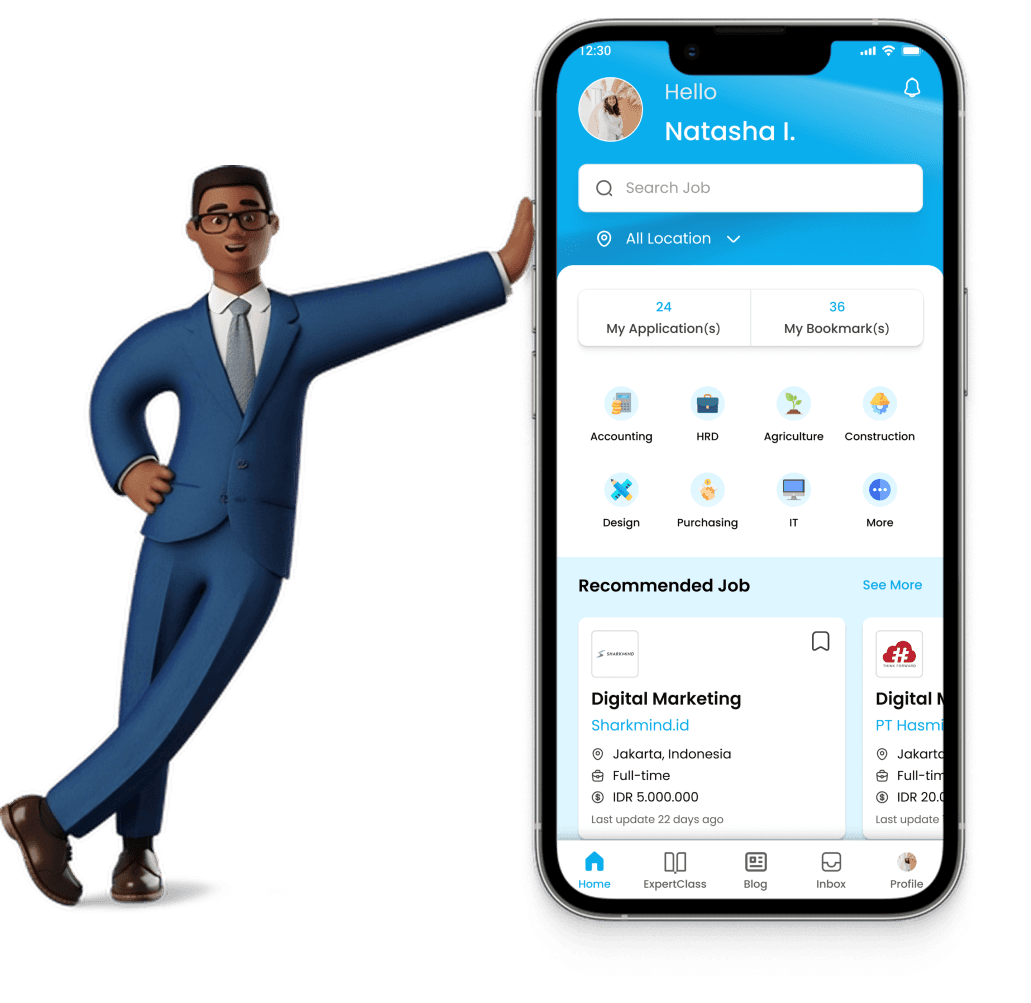
Revamping the home page to be more modern. Replacing the search feature with a search bar, and a popup will appear when selecting the location.
2.
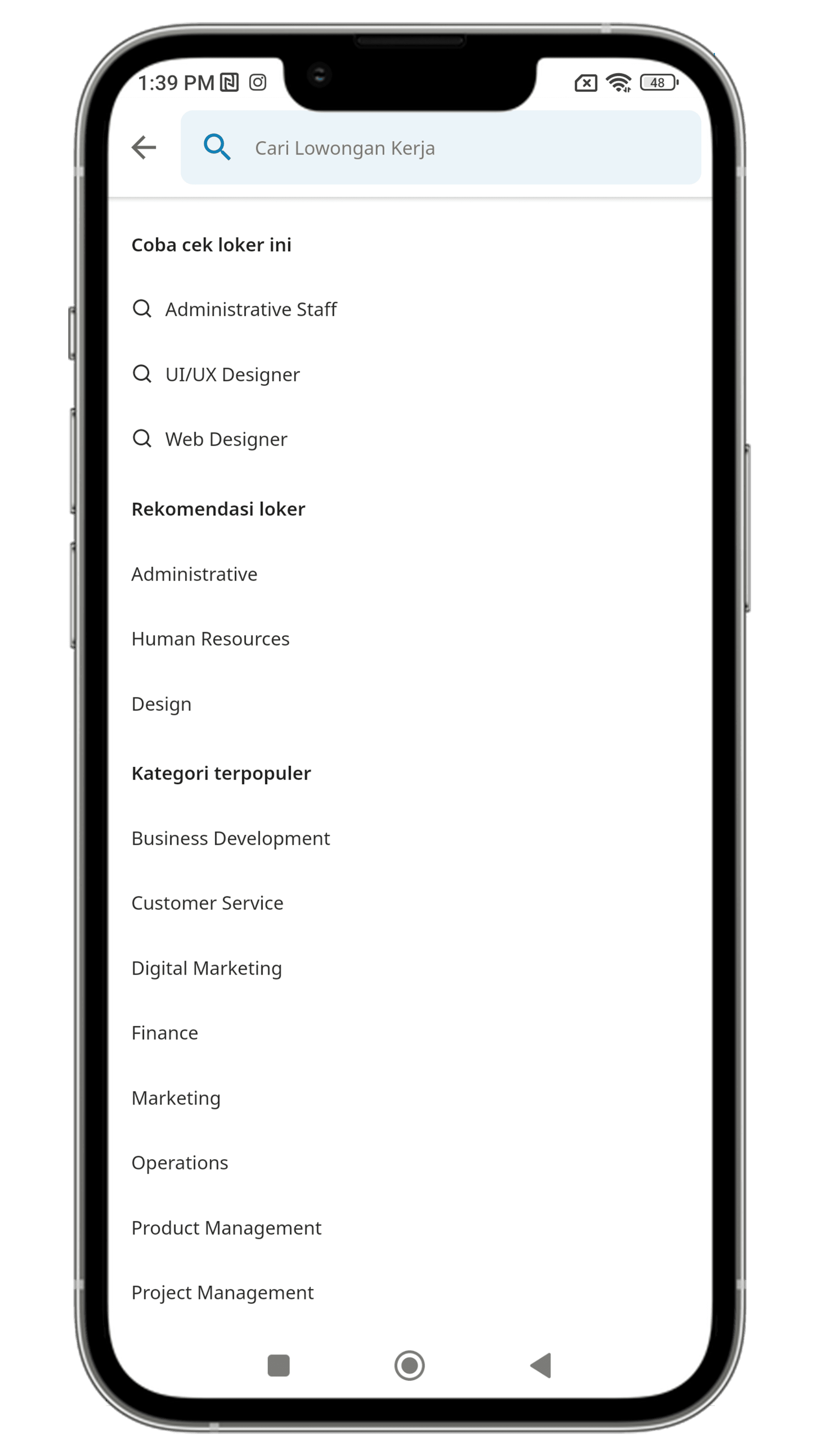
Search Job Page
Before
After
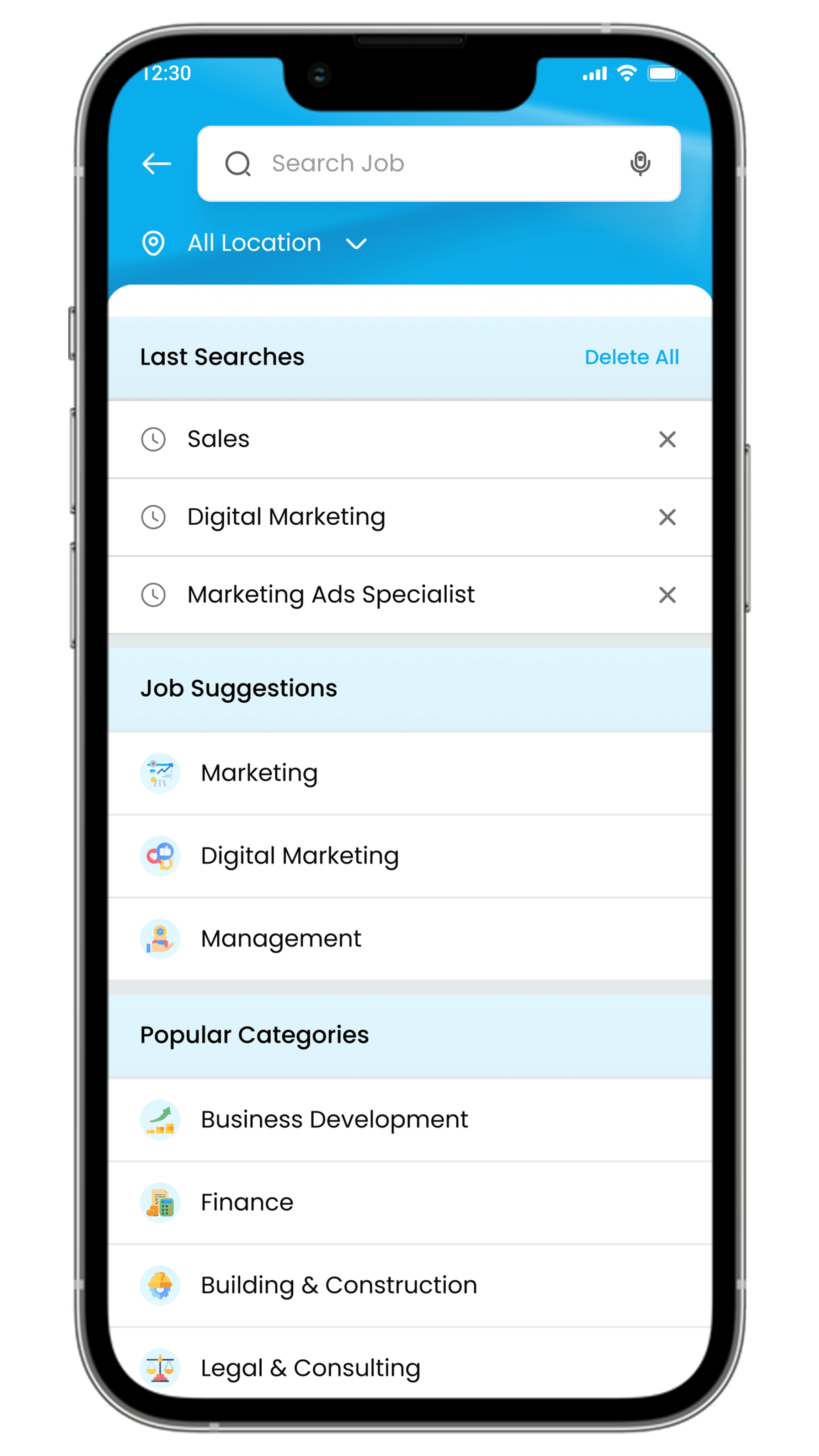
Adding subheaders and icons to job categories to facilitate user visibility of the information.
3.
Job Page - Result
Before
After
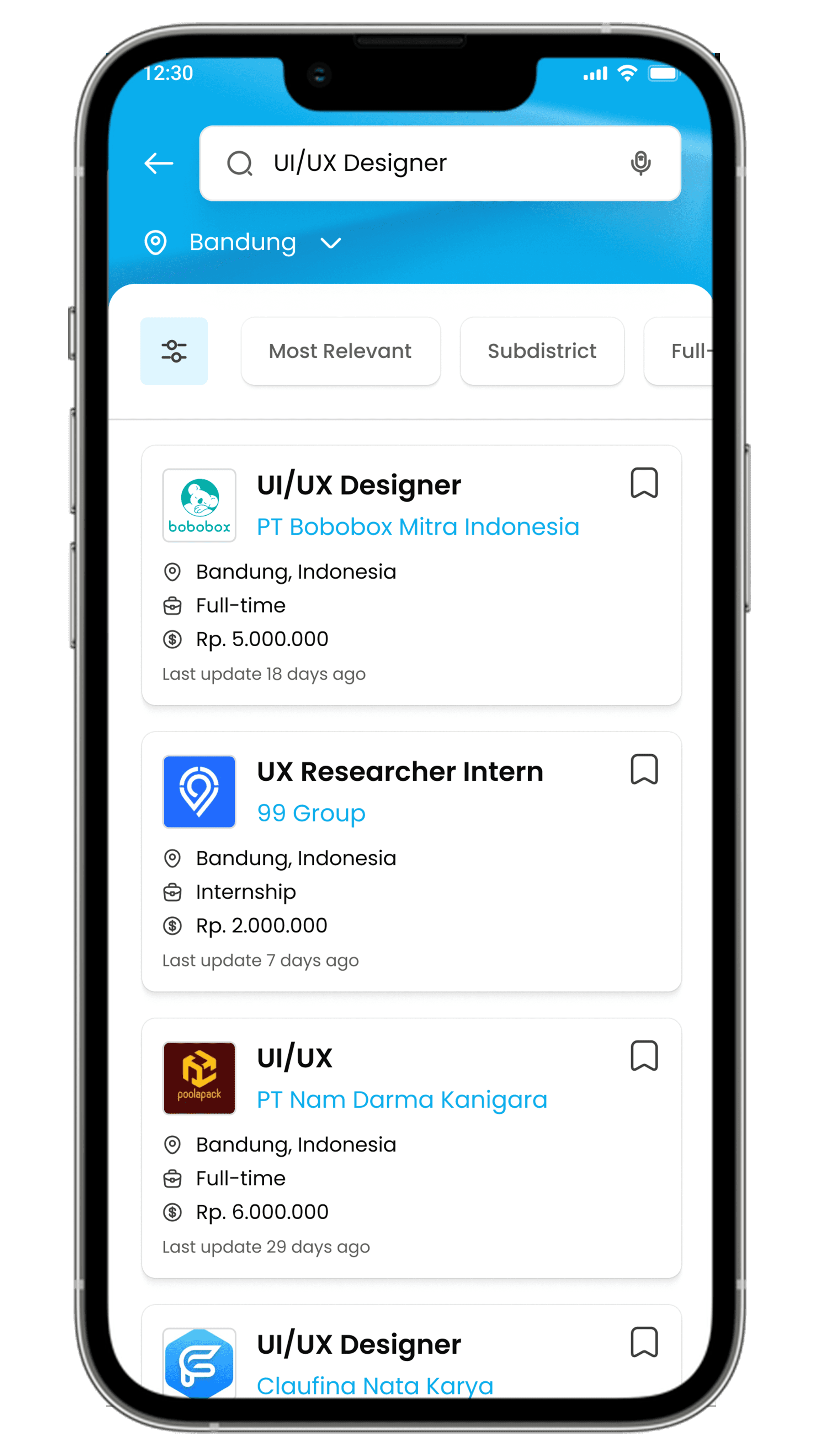
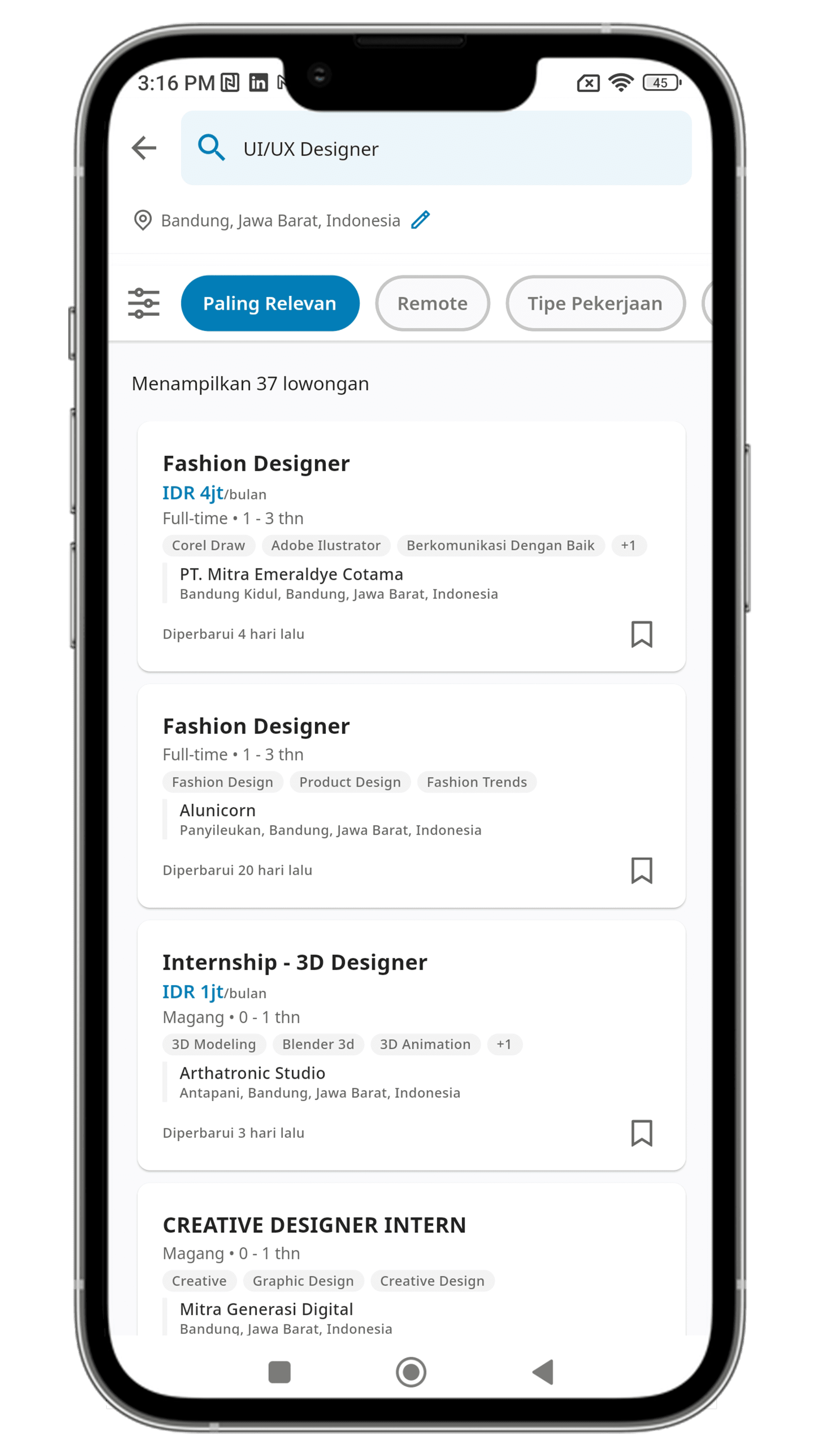
Removing irrelevant information, adding company logos, and icons to each job listing.
Increasing the size of the location change feature to make it easier for users to modify their location.
4.
Job Description
Before
After
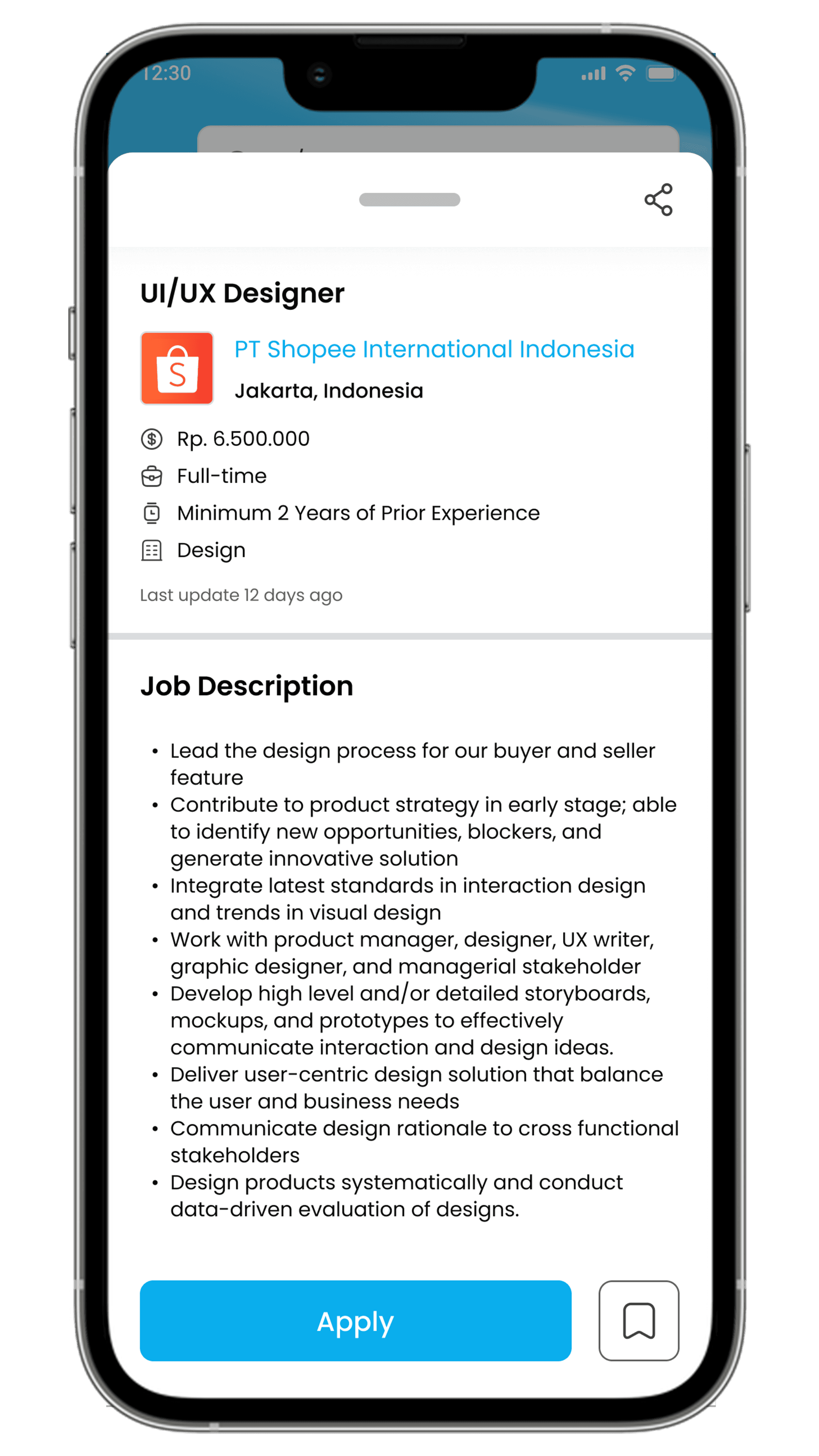
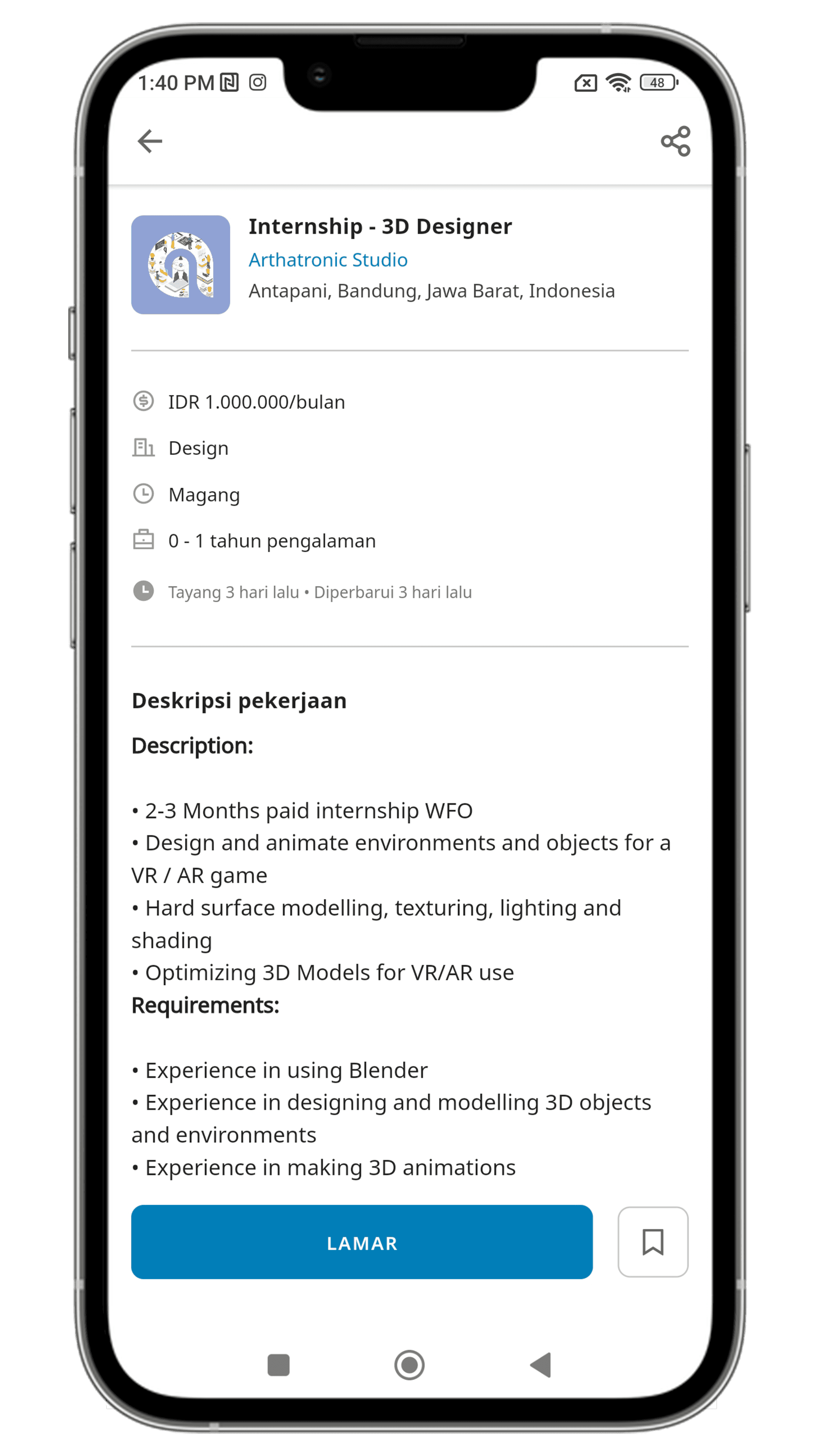
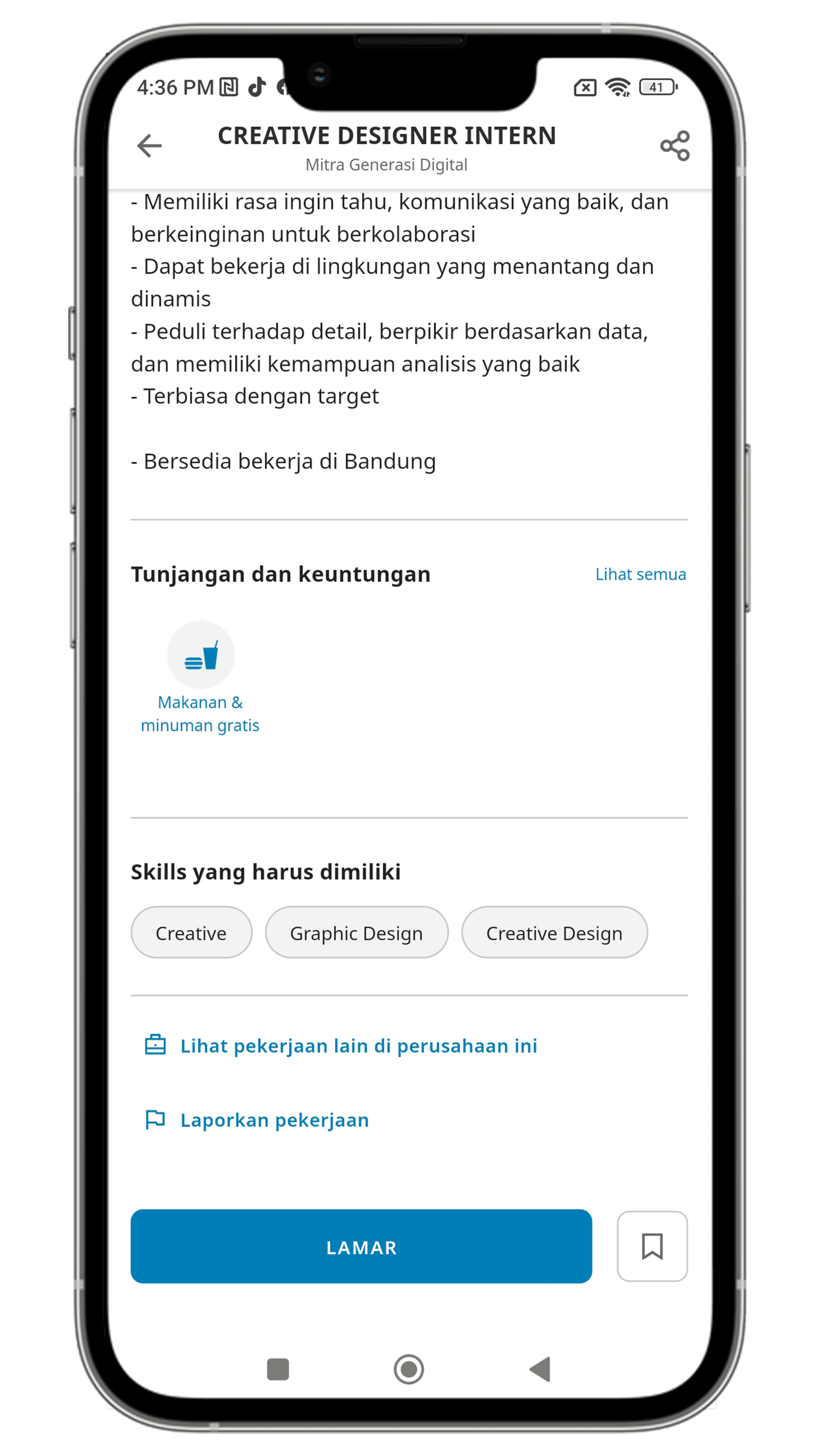
Modifying the job description layout. Combining two separate pieces of information into one.
Before
After
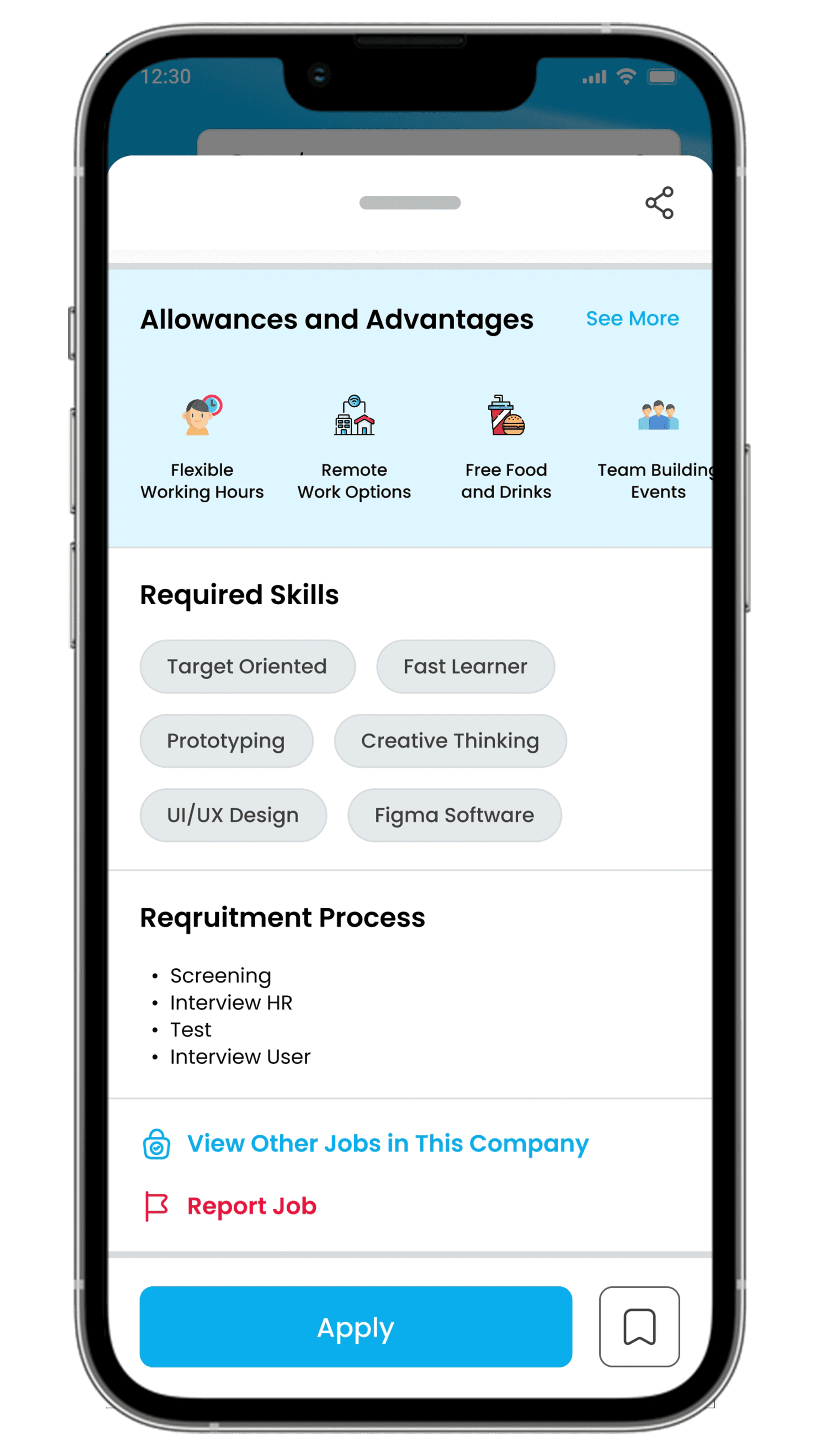
Changes the color of the "Report Job" section.
Adding a category for fresh graduates, such as "Career Preparation."
5.
Similar Job for You
Before
After
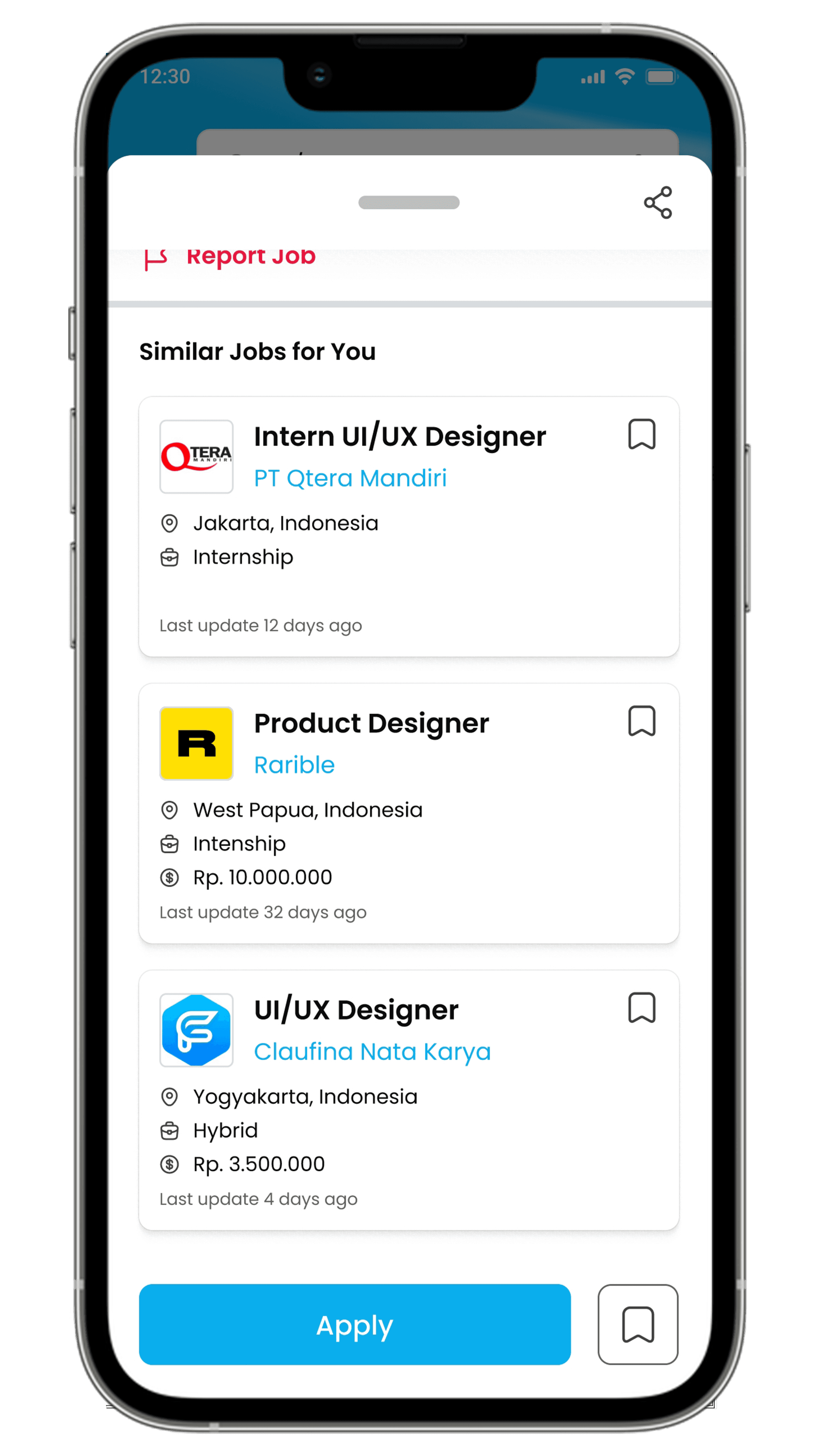
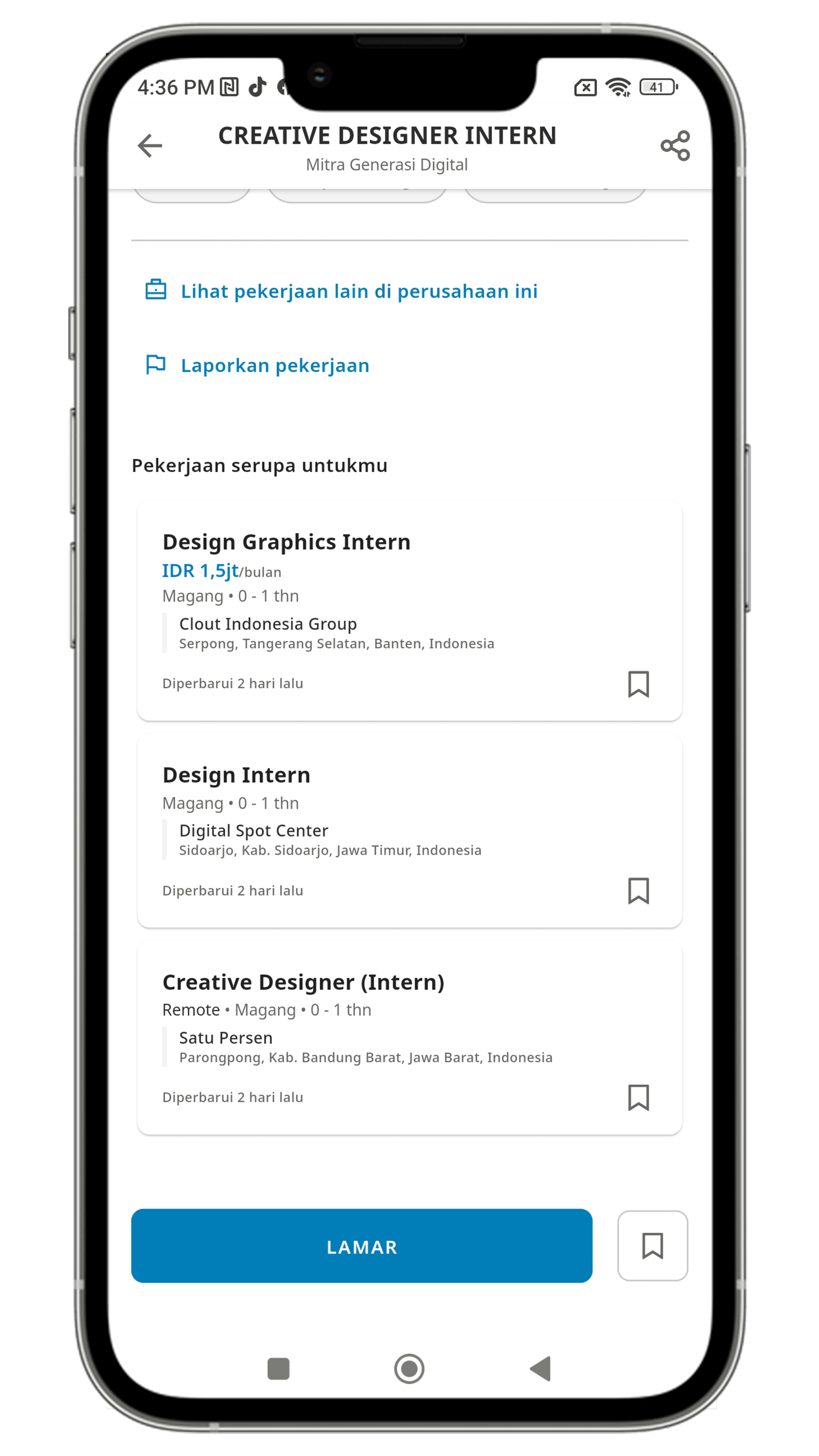
Changes the "similar job for you" to popup overlay to facilitate users when searching from similar jobs for you, so users can directly go back to the homepage.
6.
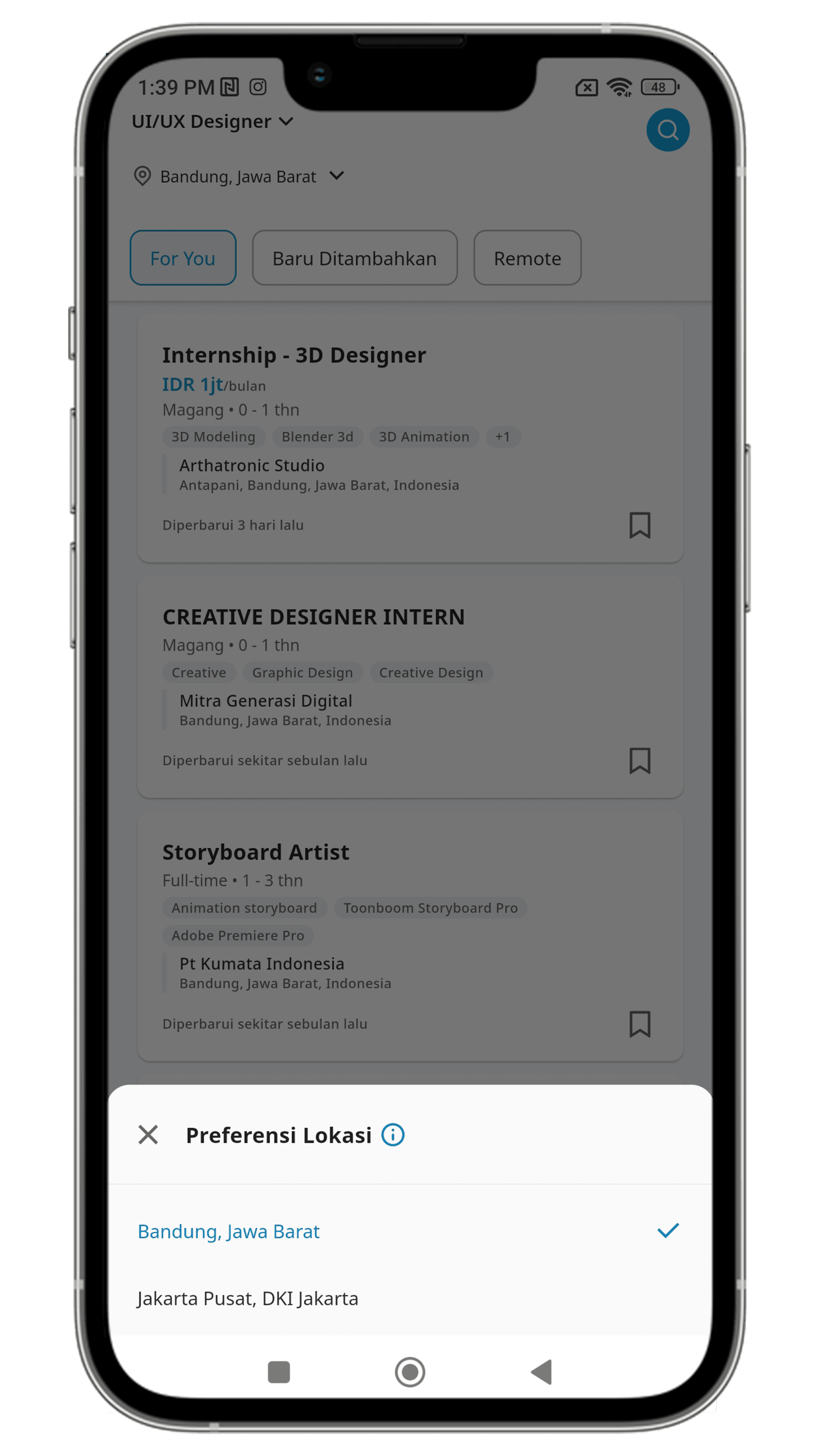
Change Job Location
Before
After
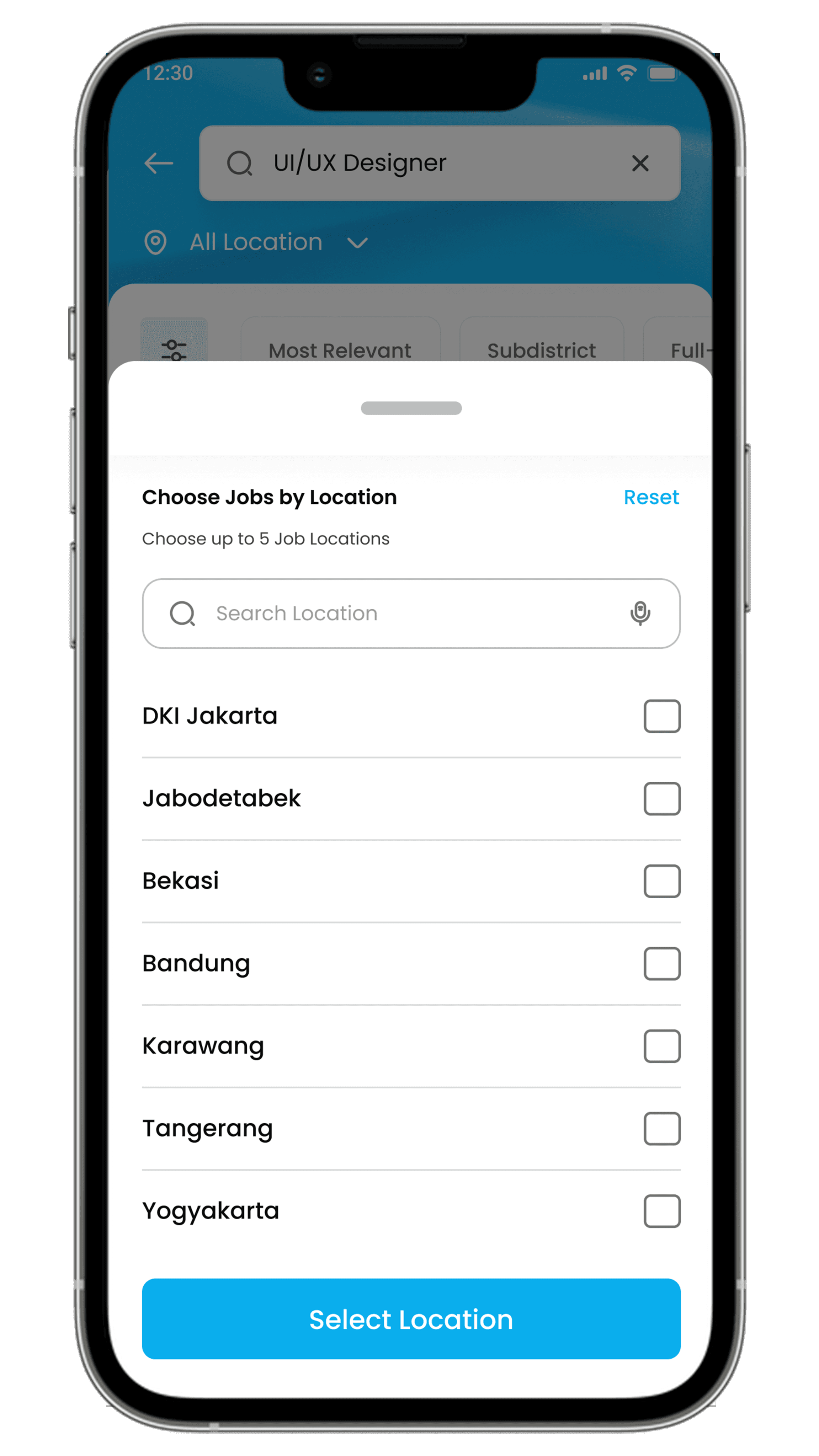
Changing the feature to update the location to a popup overlay.
Allowing the selection of up to 5 locations simultaneously using checkboxes or search.
7.
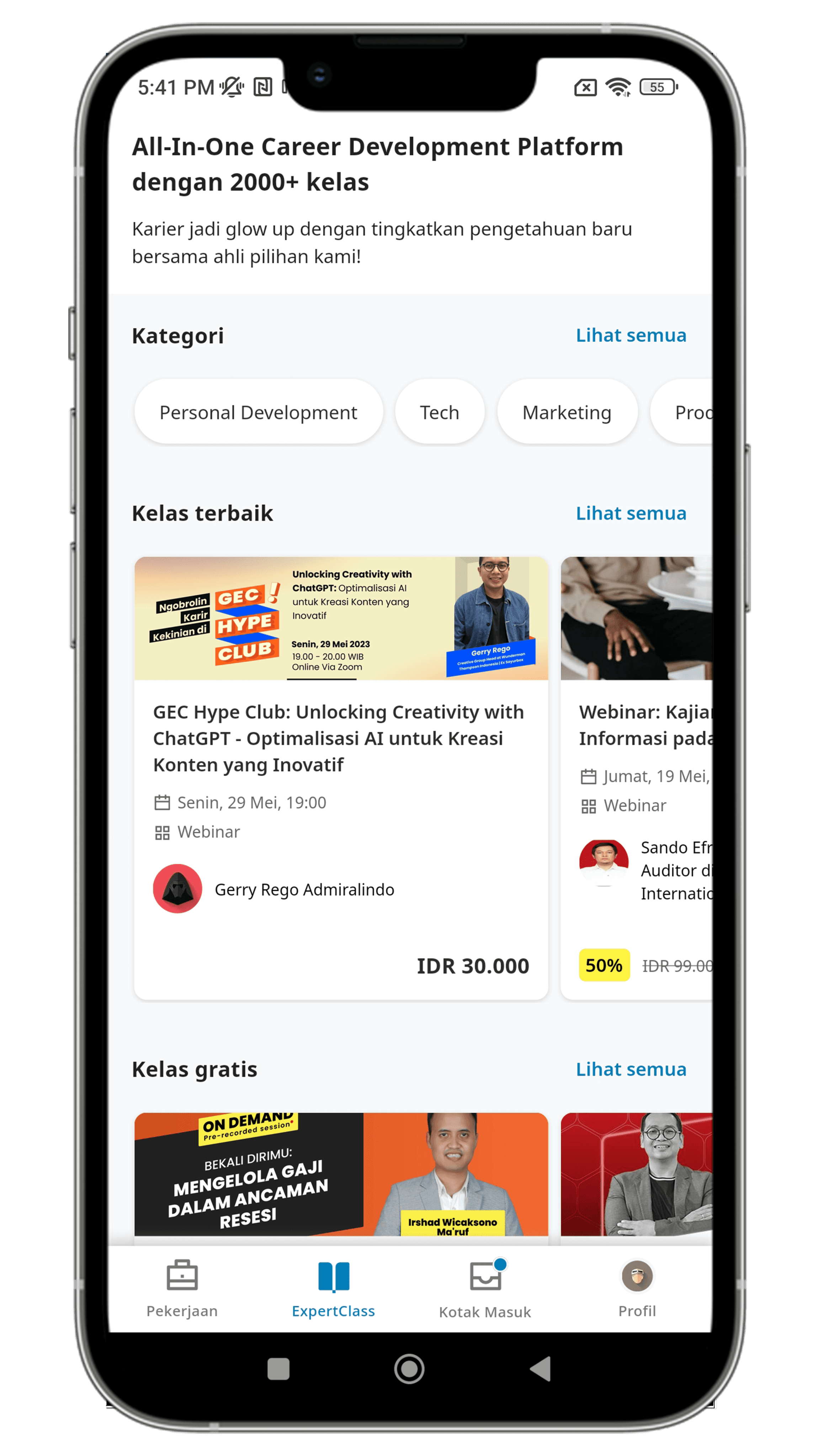
ExpertClass Page
Before
After
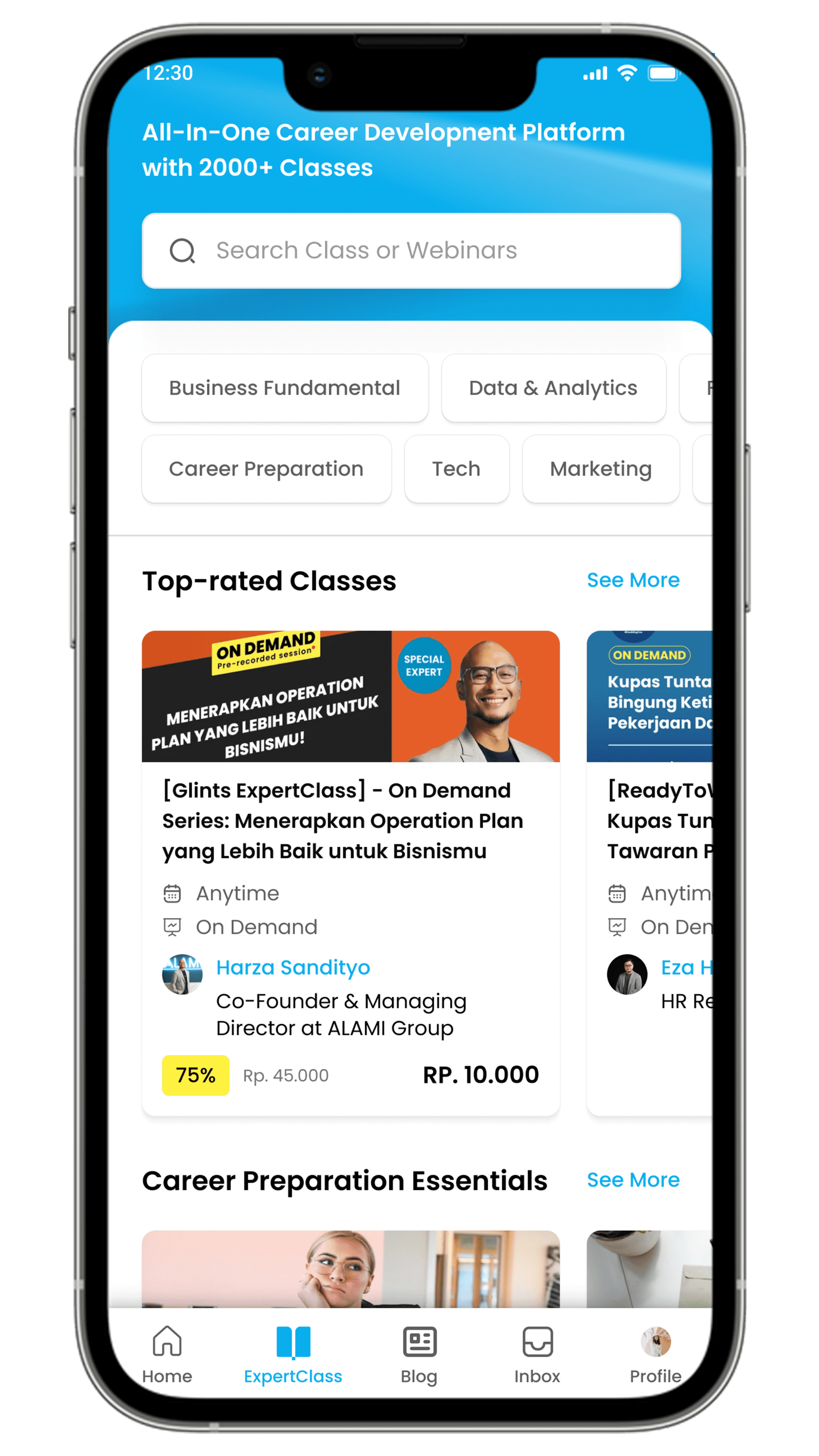
Adding search bar on ExpertClass and a category for fresh graduates, such as "Career Preparation."
8.
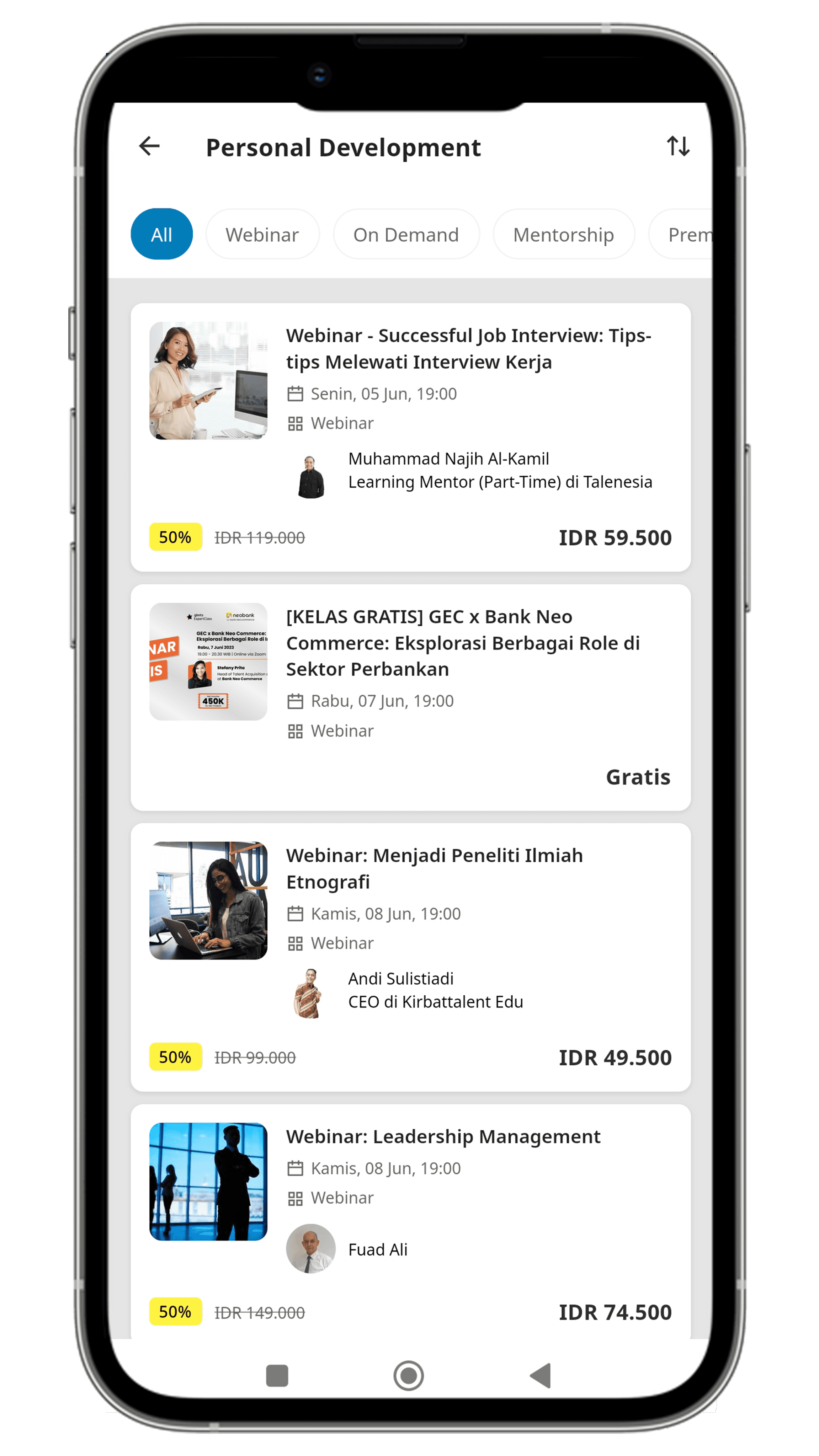
ExpertClass Result Page
Before
After
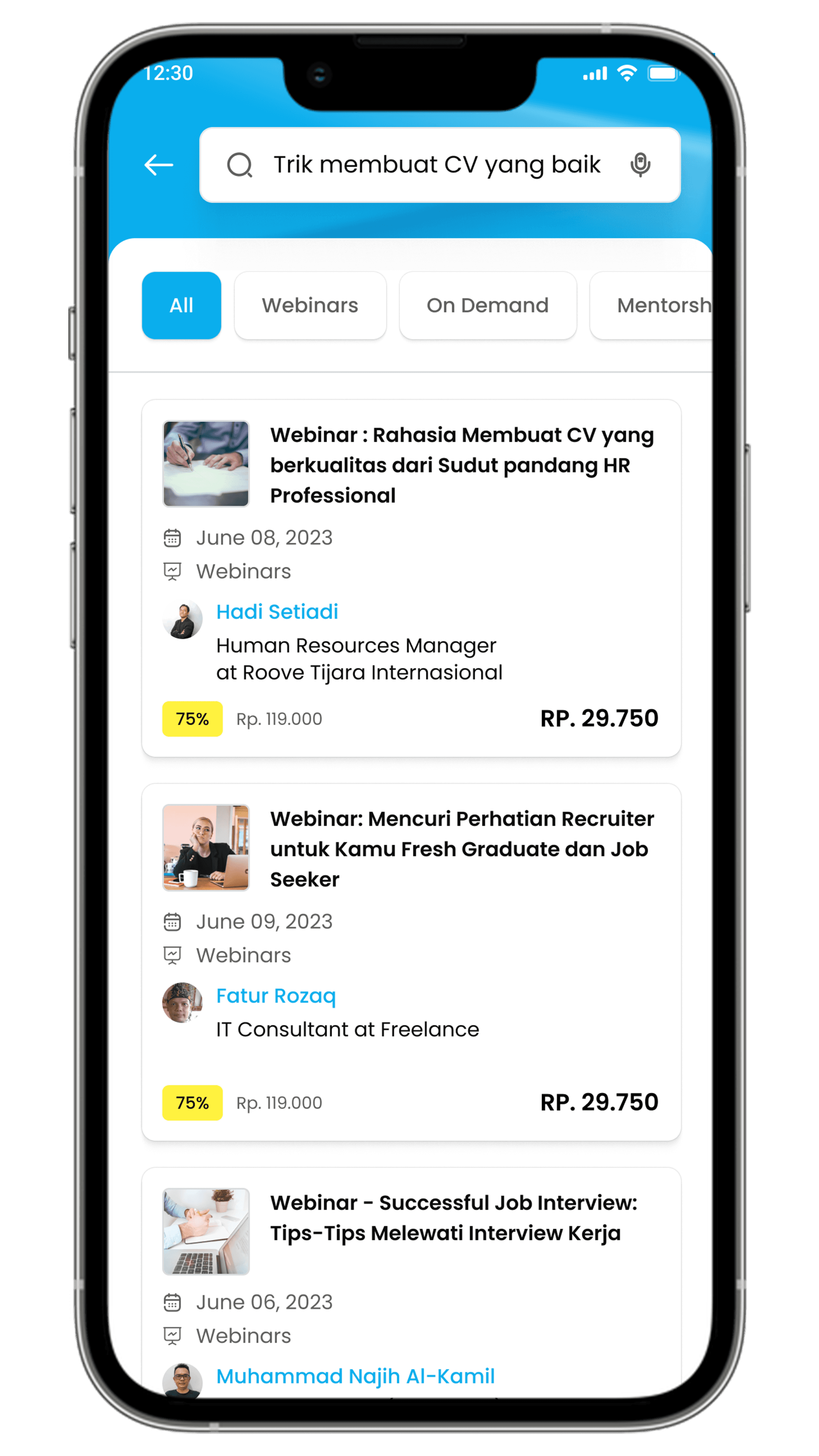
Adding a search feature to improve user's ability to search for specific content or information.
Improving the layout and design of webinar information to ensure consistency in the presentation of information.
9.
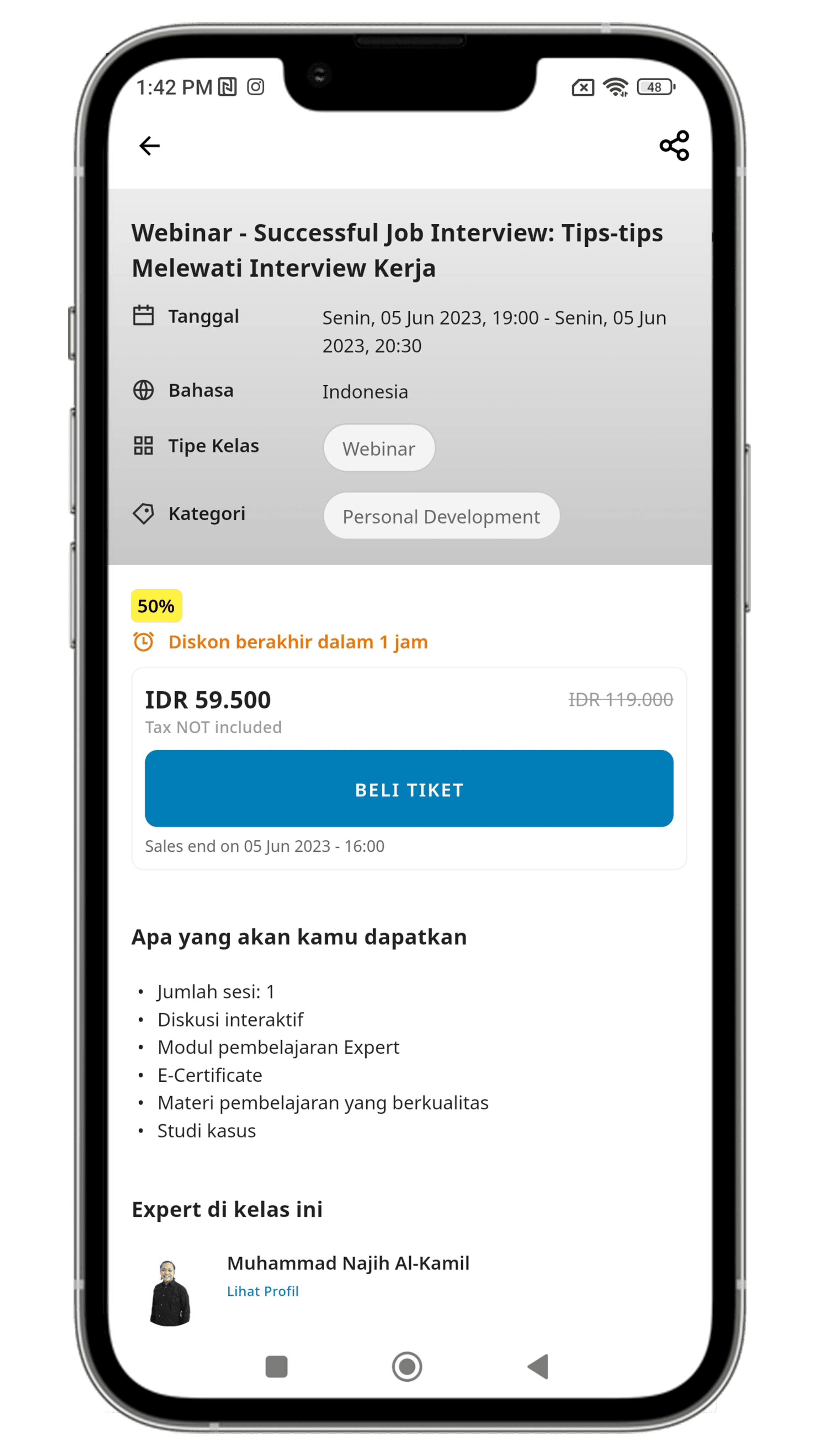
Webinar Description
Before
After
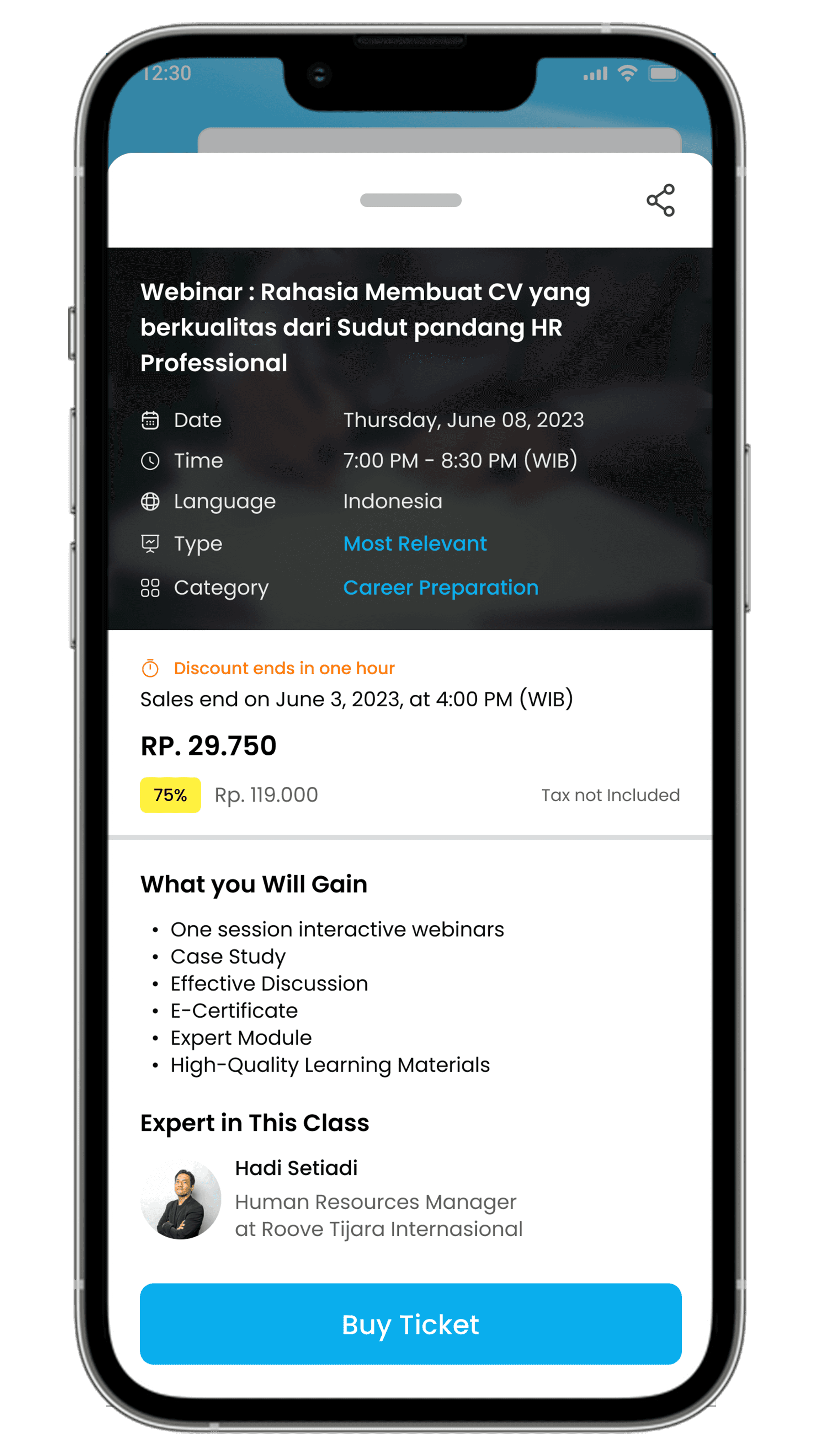
Changes design of webinar description to a popup overlay and making the information appear more dynamic and engaging.
Placing the "Buy Ticket" button below and ensuring its consistency across all webinar listings.
10.
Blog (NEW)
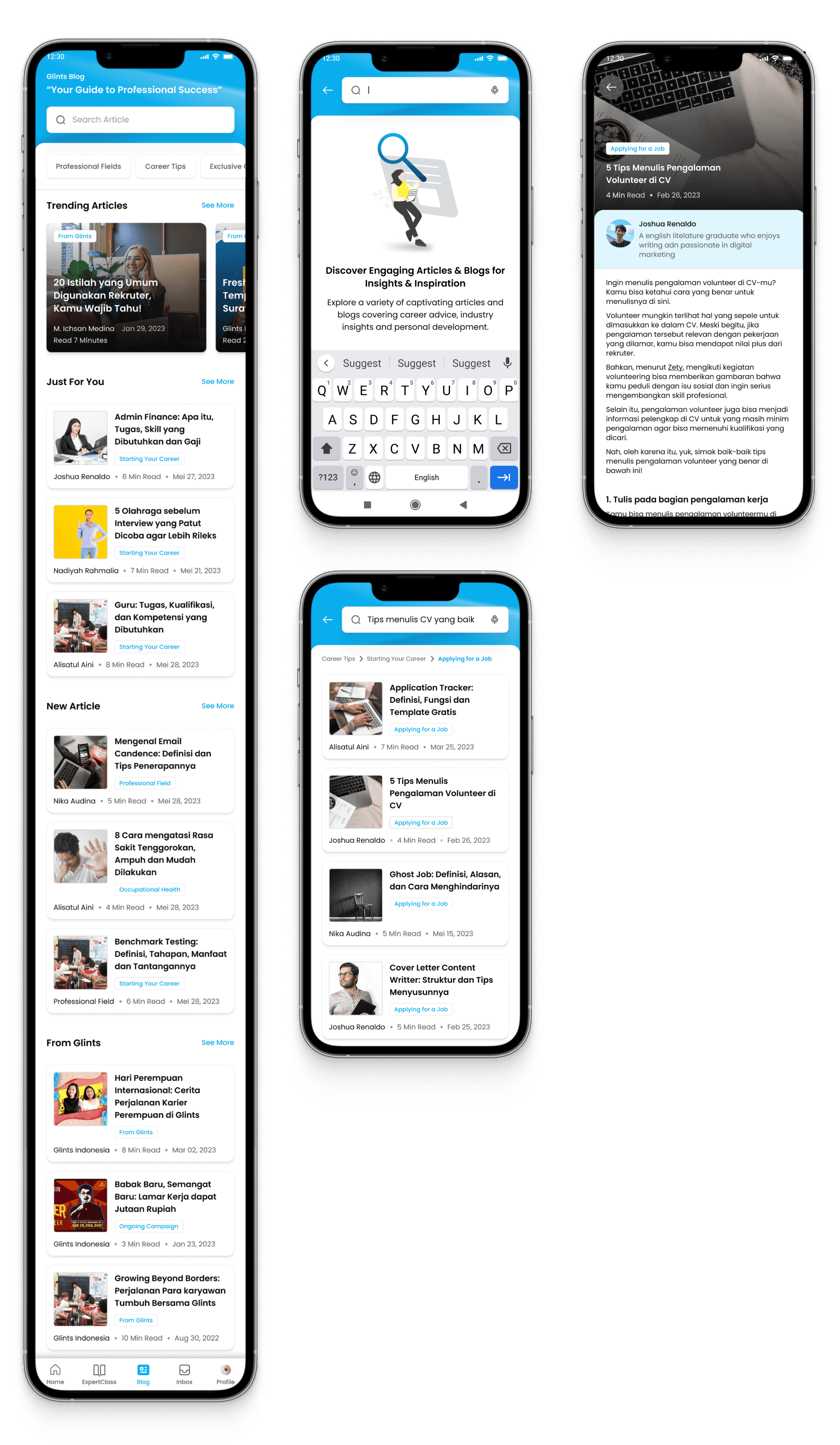
Creating a blog feature. This feature already exists on the website but is not yet available in the application. However, the blog feature is very helpful for users to expand their knowledge.
Prototype
Usability Testing
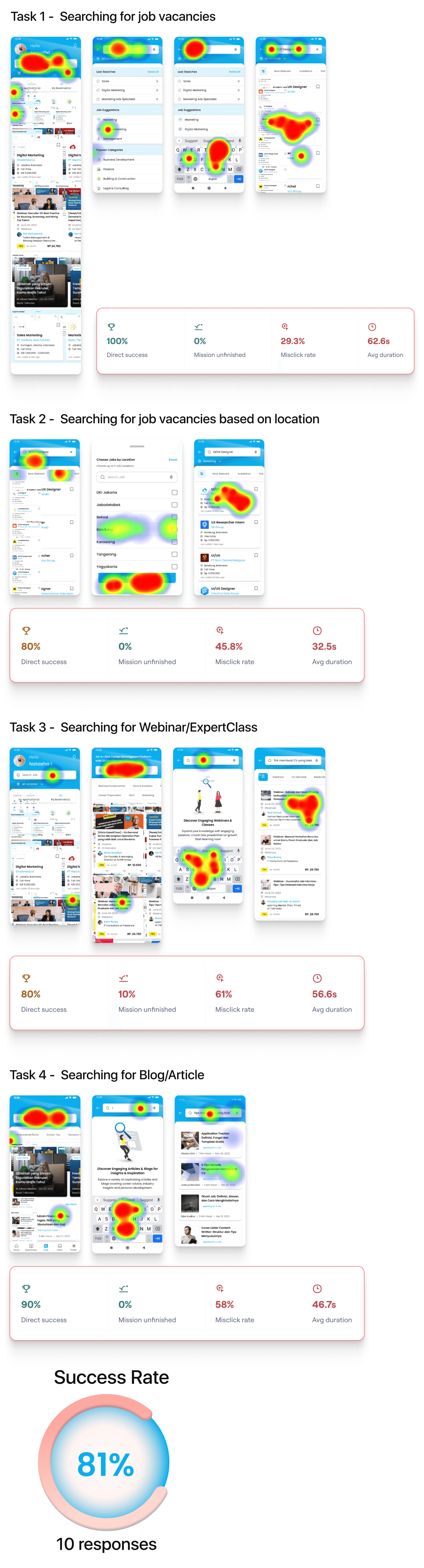
To evaluate the improved design, I conducted Usability testing using the Maze platform. I assigned a total of four tasks for the participants to complete.
“Hopefully, over time, Glints will continue to make changes to stay relevant with the times. So far, the changes made have been quite significant in the eyes of the users”
“The changes made are quite significant, with the addition of a search column on the main page and ExpertClass, which makes it easier for users to find what they are looking for and discover new things”
Lesson Learned
Indeed, it is important to manage time effectively. The lesson learned is that I need to improve my time management skills to ensure optimal project outcomes. I should prioritize tasks, set clear deadlines, practice time blocking, avoid multitasking, take regular breaks, learn to say no when necessary, and reflect on my performance to make necessary adjustments. By implementing these strategies, I can enhance productivity and meet deadlines more efficiently.