Flash Coffee
Flash Coffee is one of Asia's fastest-growing tech-enabled coffee chains. They aim to democratize high-quality coffee to make it accessible to Asia's rising middle class and serve up an award-winning coffee menu curated by World Barista Champions at affordable prices.
ROLE
UI/UX Designer
TIMELINE
2 weeks (Jul 2023)
TEAM
Solo Project
Research Plan
Conducting user Interview
Conduct user interviews with 2 baristas and 2 managers from a local coffee shop.
Gather insights on their pain points and needs with their current POS system.
Use the information obtained as valuable input for designing the Flash Coffee POS dashboard effectively.
Comparative Analysis
Conduct a comprehensive comparison of existing POS systems in the restaurant industry, focusing on strengths and weaknesses.
Identify successful features, design patterns, and usability principles from the reviewed systems.
Apply the insights gained to enhance the design of the new Flash Coffee POS system, prioritizing user-friendliness and efficiency.
1.
User Interview
During the interview phase, I did not have direct access to barista or manager users from Flash Coffee as the outlet in Yogyakarta was temporarily closed. Therefore, I conducted interviews with baristas from other coffee shops to better understand their effective point of sale (POS) usage flow and the challenges they face with their current POS systems.
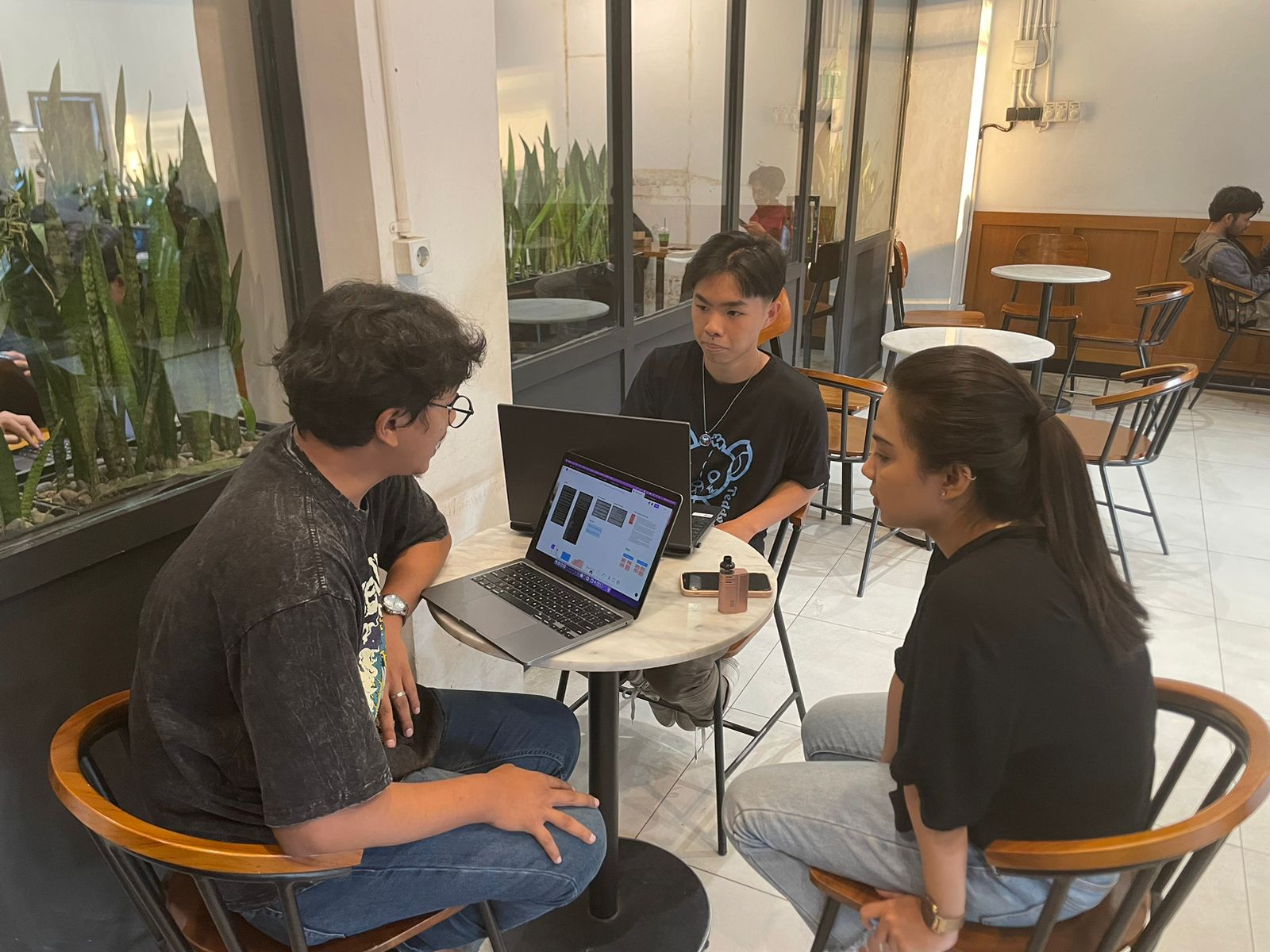
The insights gathered from these interviews have significantly influenced and provided me with valuable insights during the comparative research phase. This is because the users I interviewed are actual users of competitors' POS applications or systems.
2.
Comparative Analysis
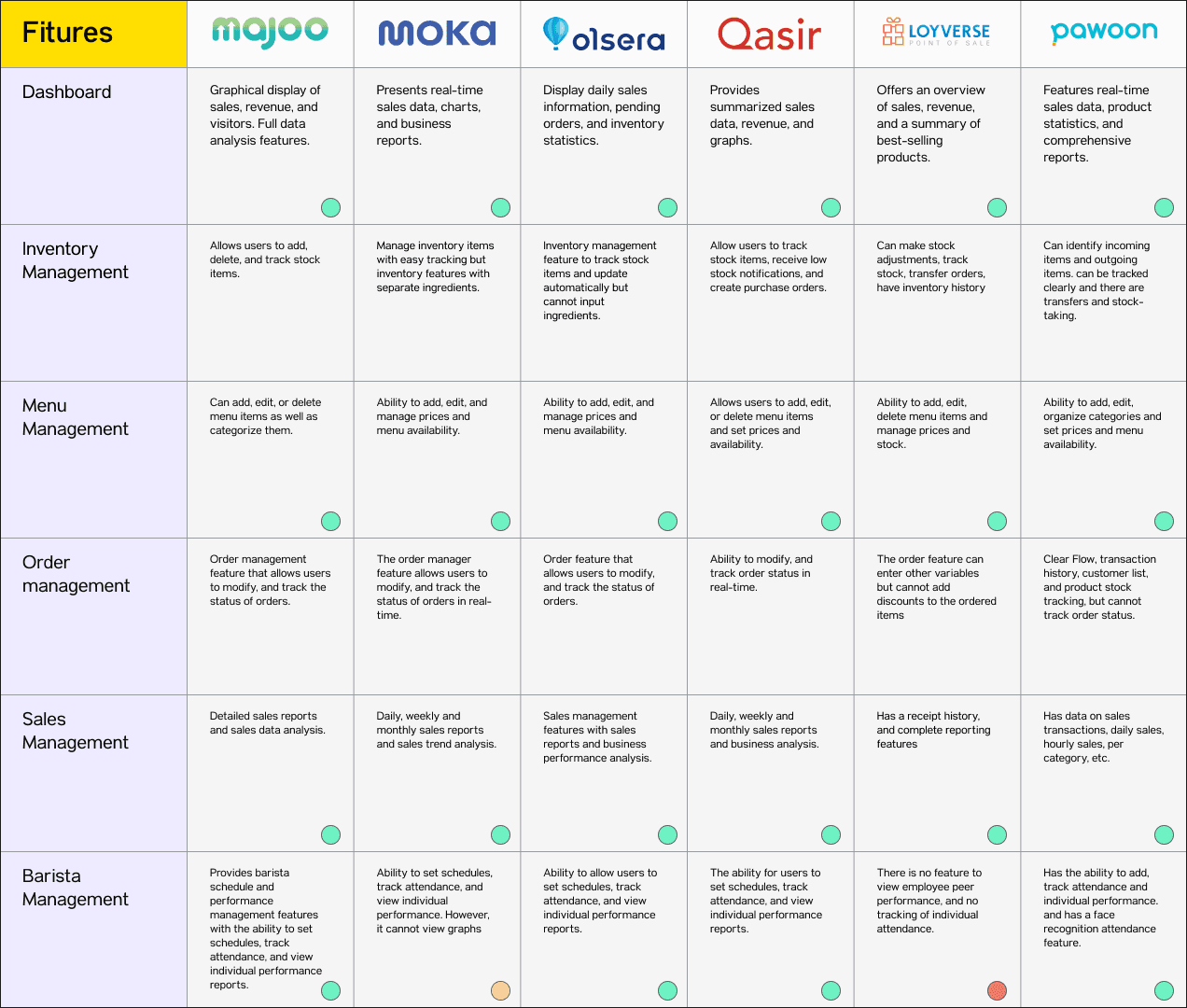
Great
Good
Bad
3.
User Persona
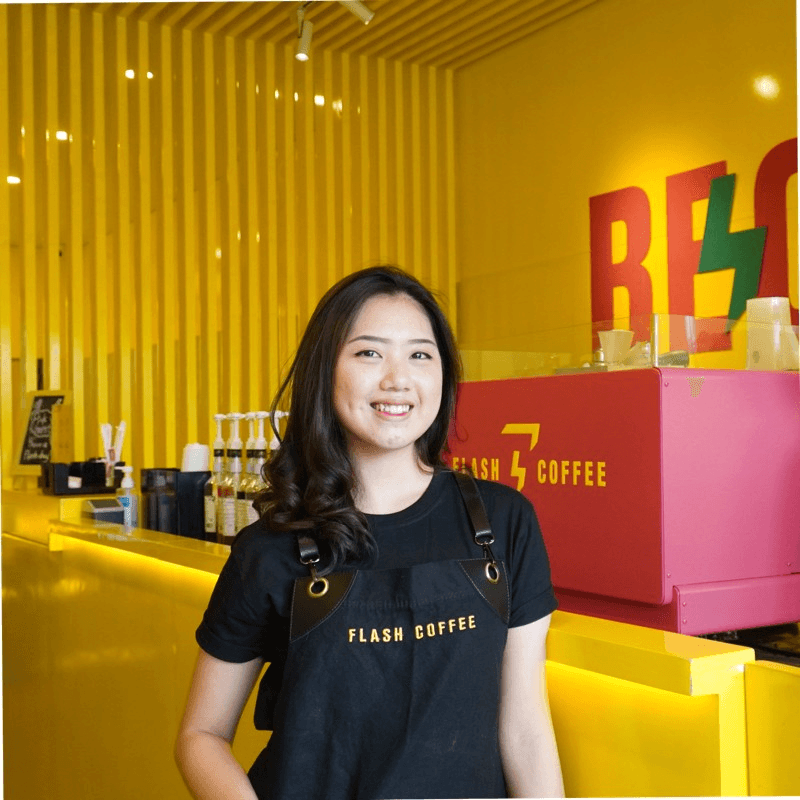
Ferra Glovanska
25 years old
Barista at Flash Coffee Cikutra, Bandung
About Ferra
Ferra is a talented barista with 3 years of experience in the coffee industry. She is passionate about coffee and enjoys interacting with customers to provide a delightful experience. Ferra joined Flash Coffee because she was drawn to the brand's innovative and fast-growing reputation.
As an energetic, creative, and resilient individual, Ferra is always eager to learn and seeks new ways to enhance her barista skills. As a young professional, she aims to be part of a team that prioritizes product quality and exceptional service.
Needs
Ferra needs an easy-to-use and efficient POS system to quickly and accurately take customer orders.
She requires a feature that allows real-time tracking of order statuses to identify orders ready for pickup easily.
Ferra wants the ability to manage order modifications effortlessly, such as adding or removing items from orders.
She seeks a reliable and fast system to increase her work efficiency as a barista and deliver a better customer experience.
About Abdul Latief
Abdul Latief is an experienced and dedicated manager with a background in the hospitality industry. With 7 years of experience, he has managed various coffee shops and understands the intricacies of running a successful outlet. Joining Flash Coffee as a manager was a natural choice for him due to the brand's reputation for quality and innovation.
As a detail-oriented and analytical individual, Abdul is always looking for ways to optimize operations and improve overall performance. He takes pride in leading a cohesive team of baristas and aims to create a welcoming environment for both staff and customers.
Needs
Efficient inventory management to monitor and control stock levels of ingredients and supplies.
User-friendly menu management for easy addition, price updates, and menu item availability management.
Robust sales tracking with real-time data for identifying sales trends and making data-driven decisions.
Intuitive barista scheduling to optimize staff productivity and performance.

Abdul Latief
32 years old
Manager Area at Flash Coffee Cikutra, Bandung
4.
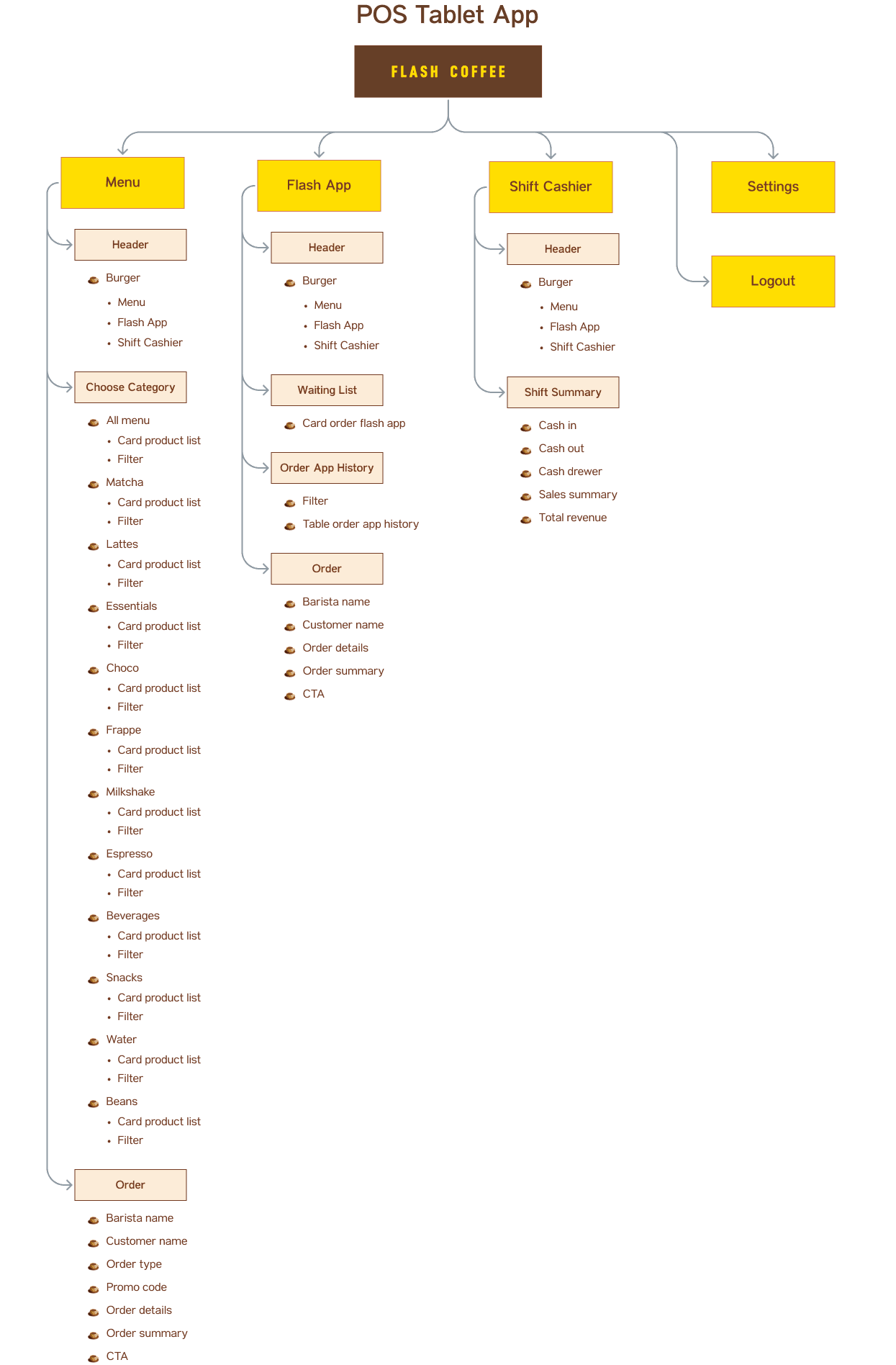
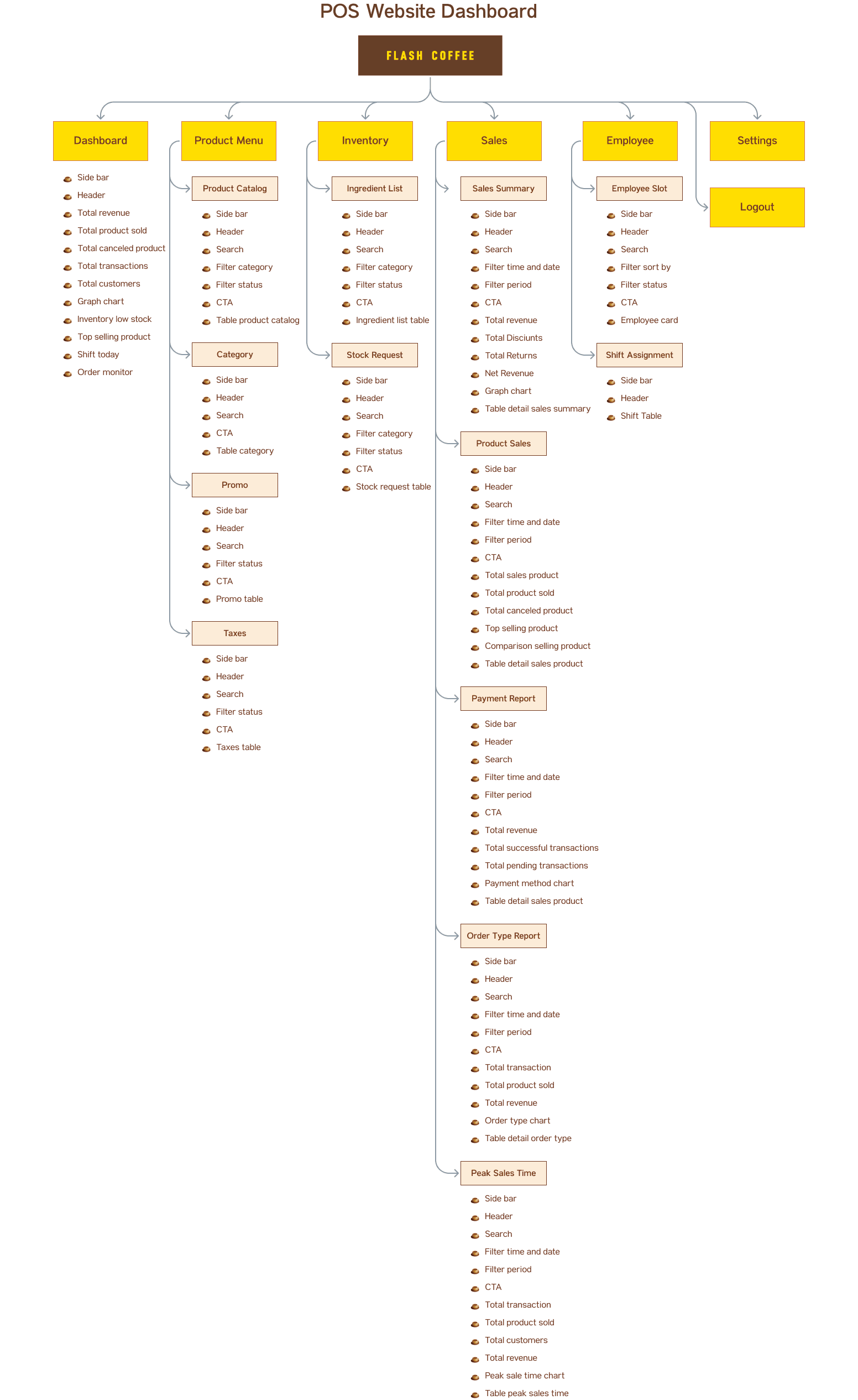
Information Architecture
5.
User Flow
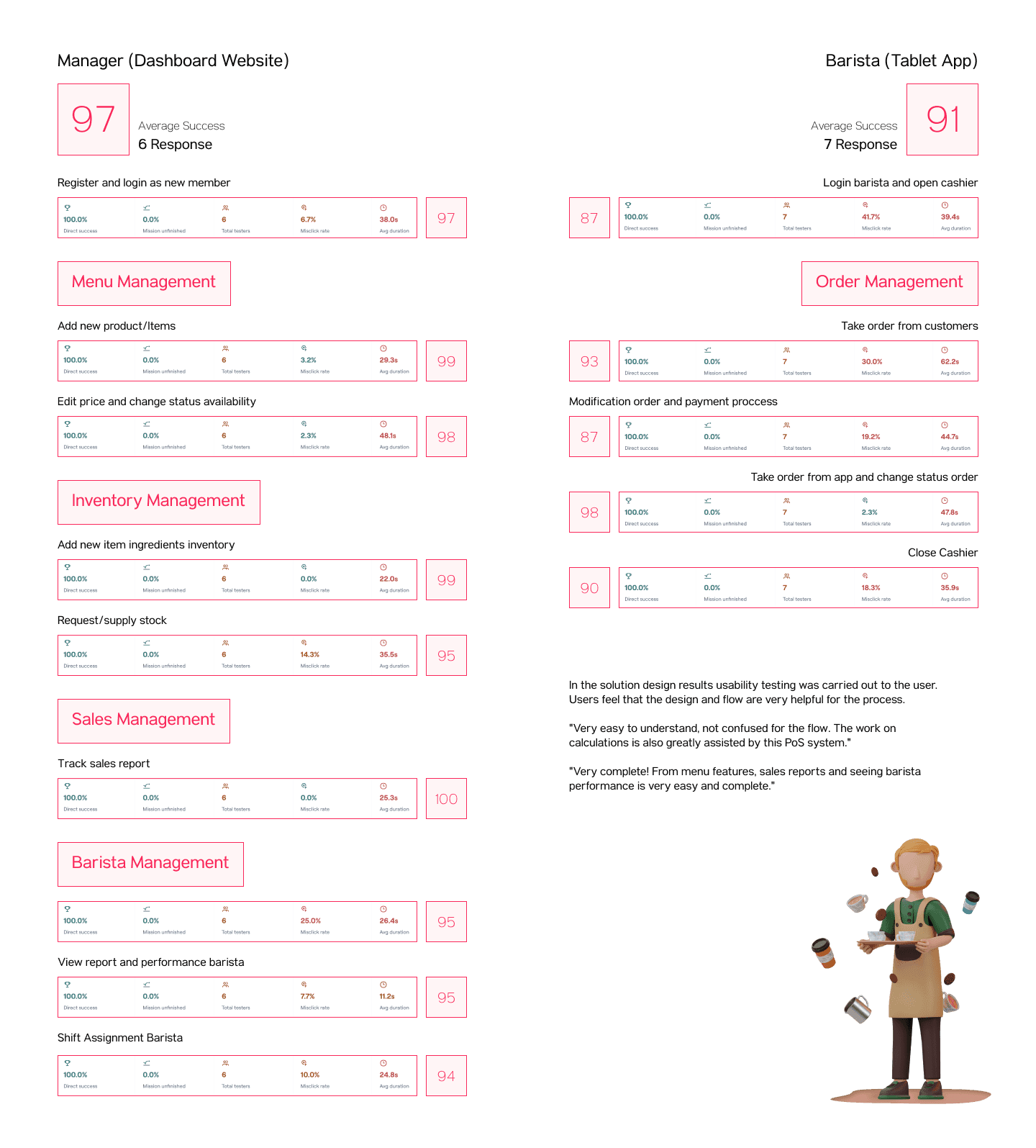
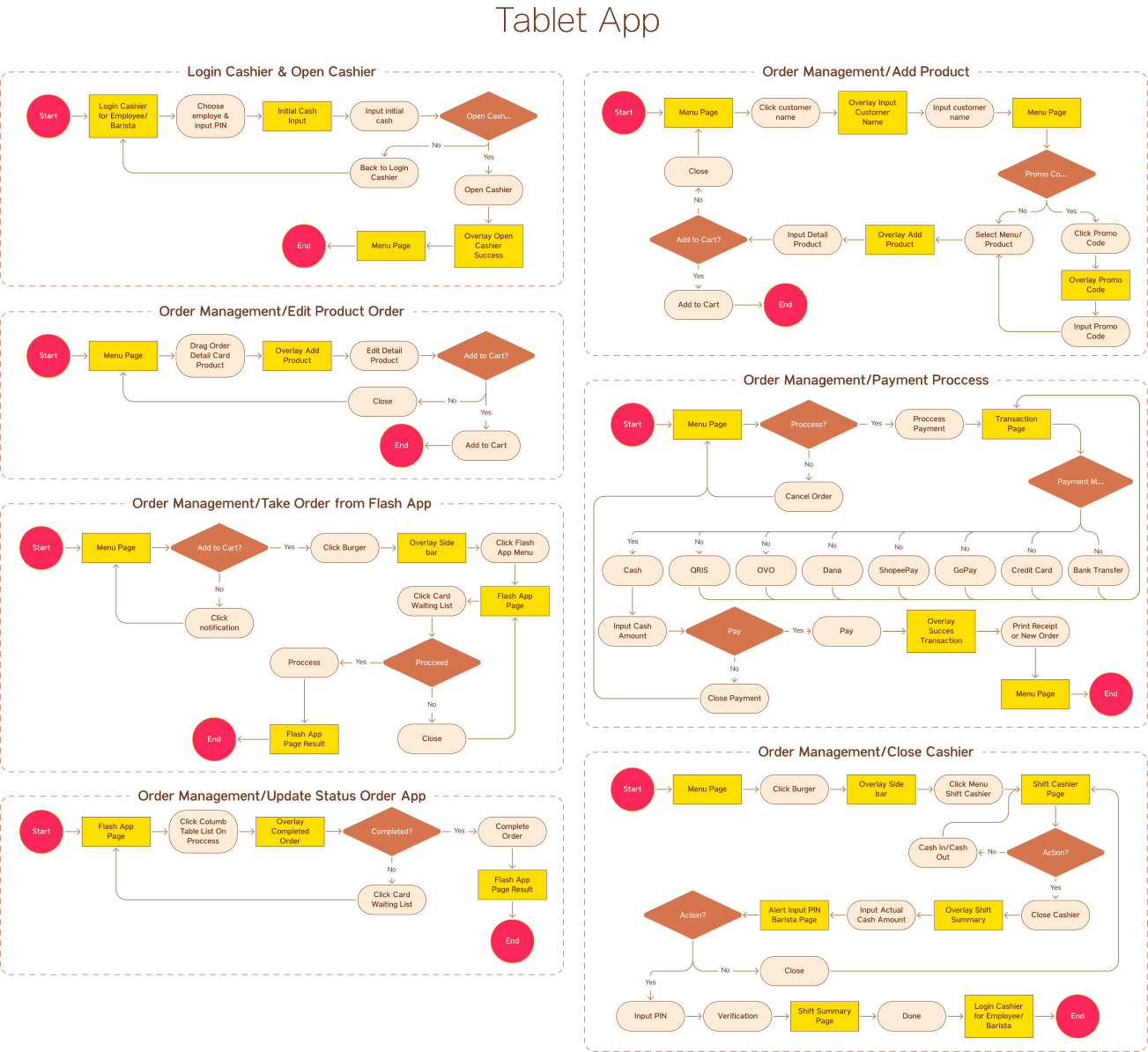
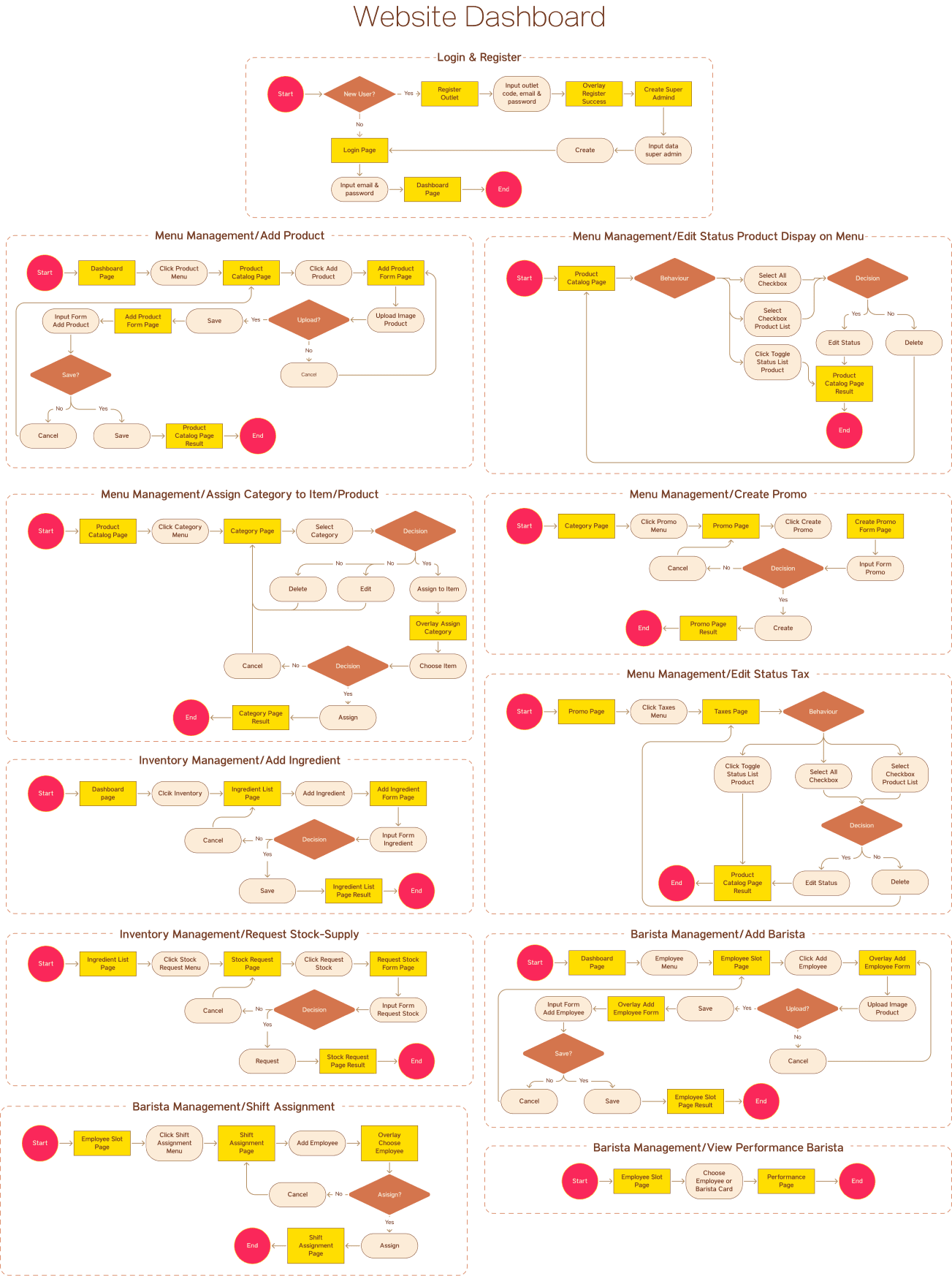
In creating the user flow, I have divided it into two separate flows to be tested for usability – one for the POS app designed for baristas and the other for the website dashboard intended for managers.
UI Style Guide
1.
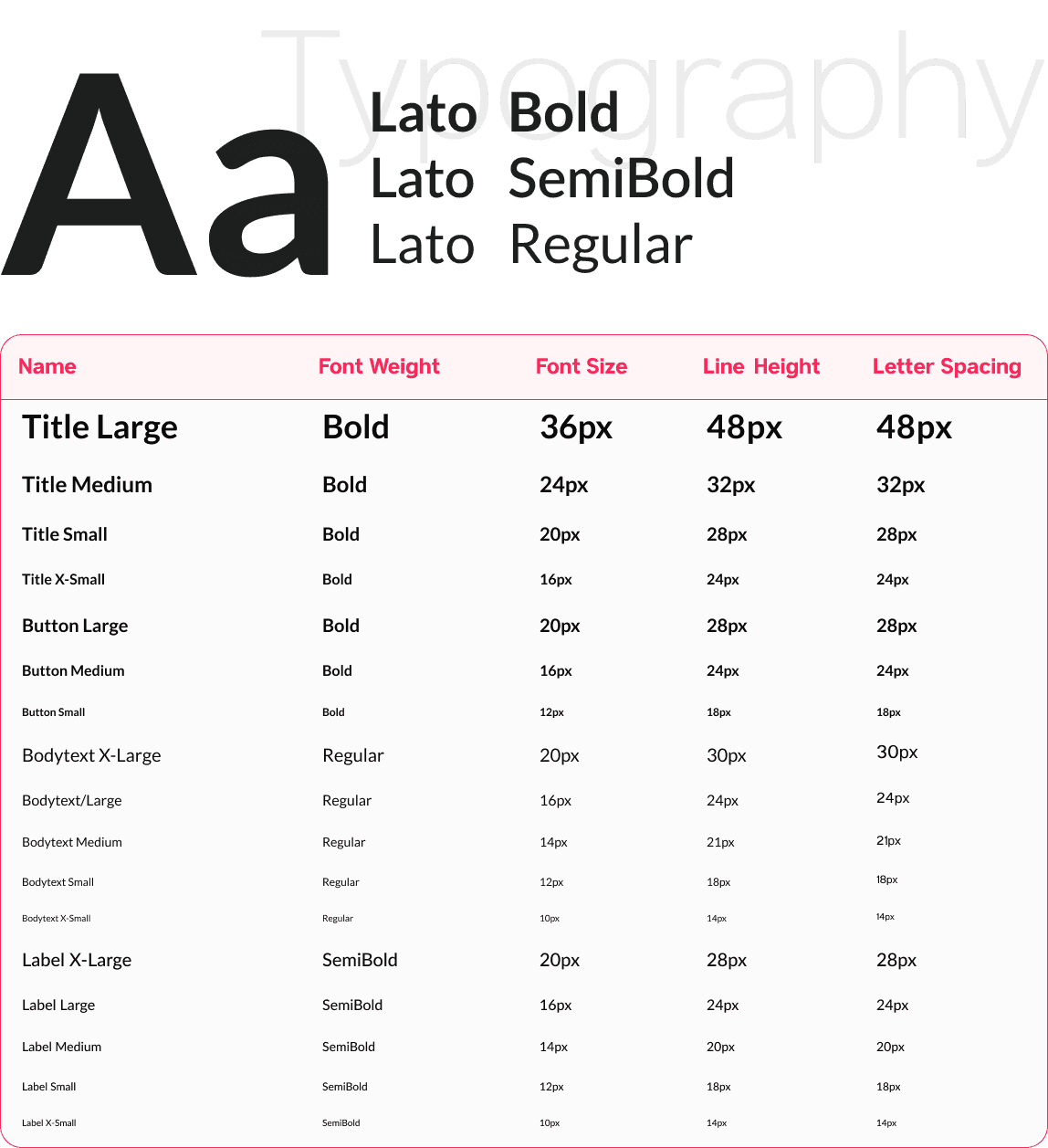
Typoghraphy
2.
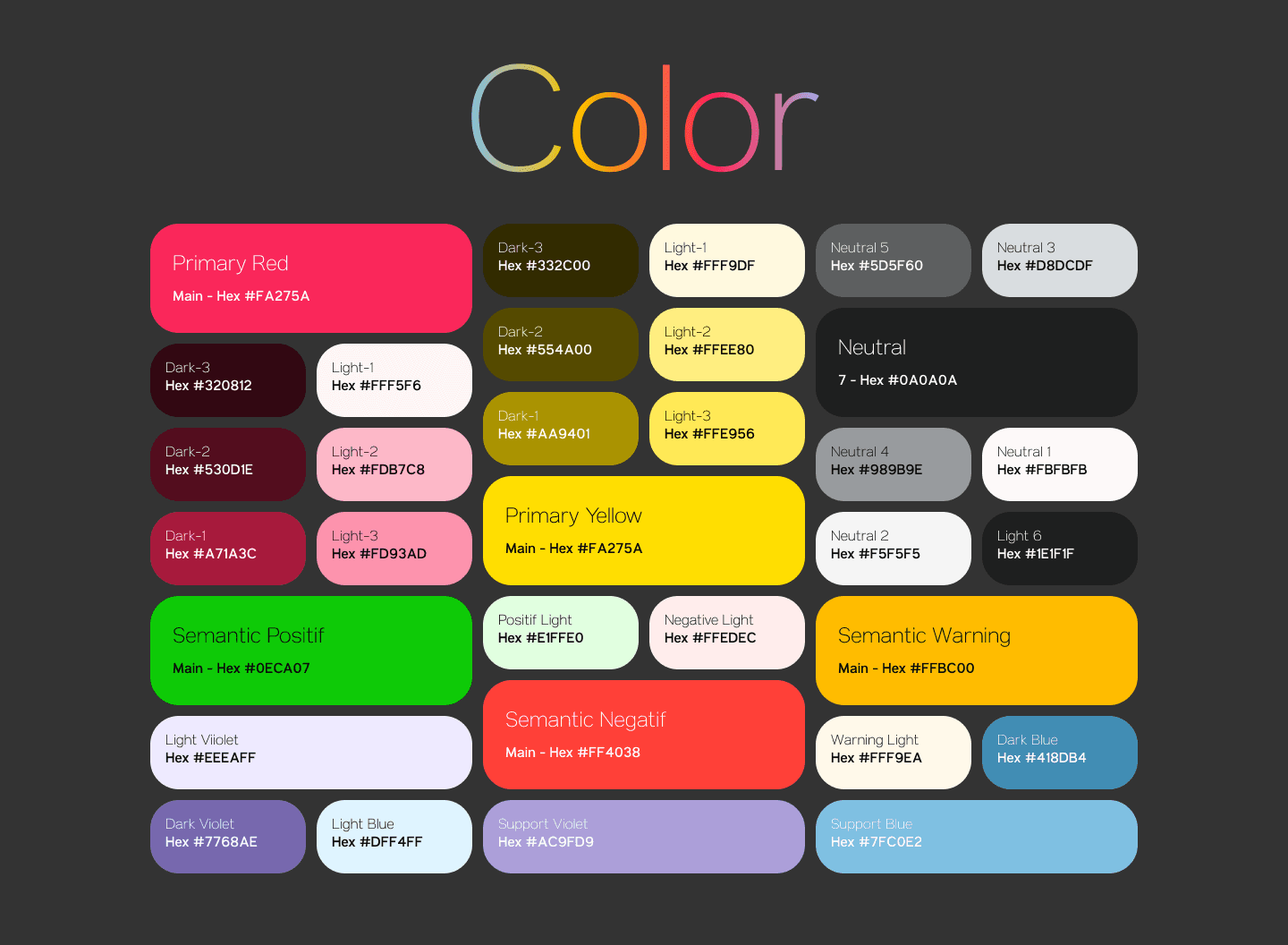
Color Palette
3.
Logo & Icons
Logo

Icons
3



















4.
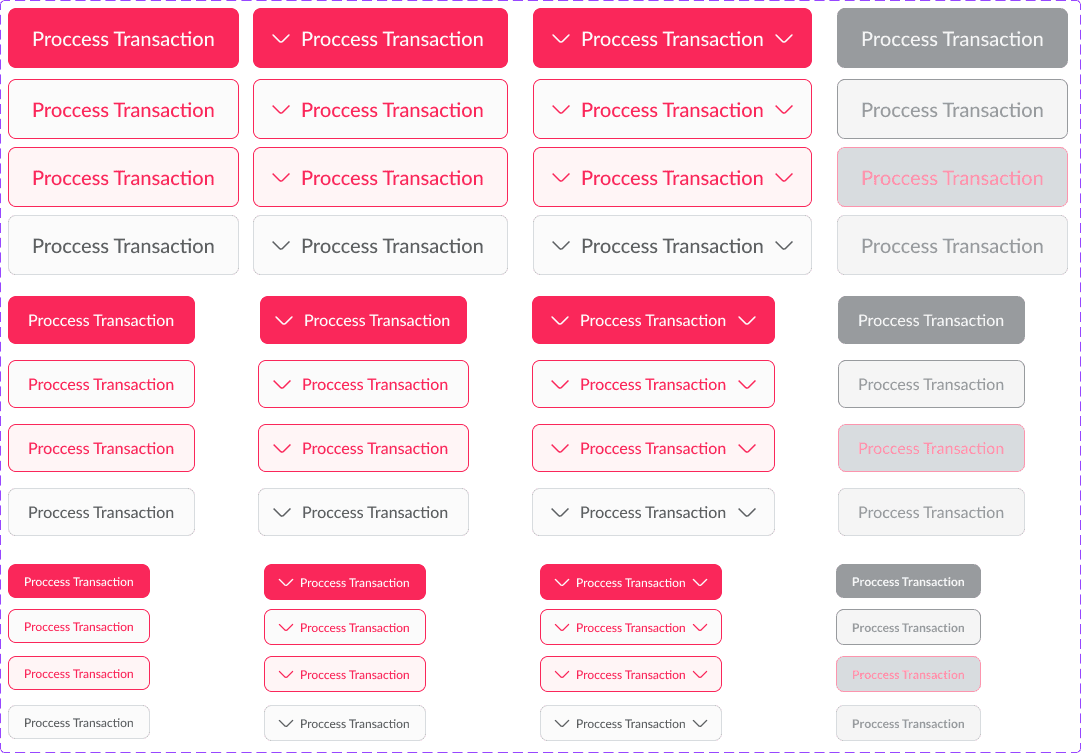
Buttons
5.
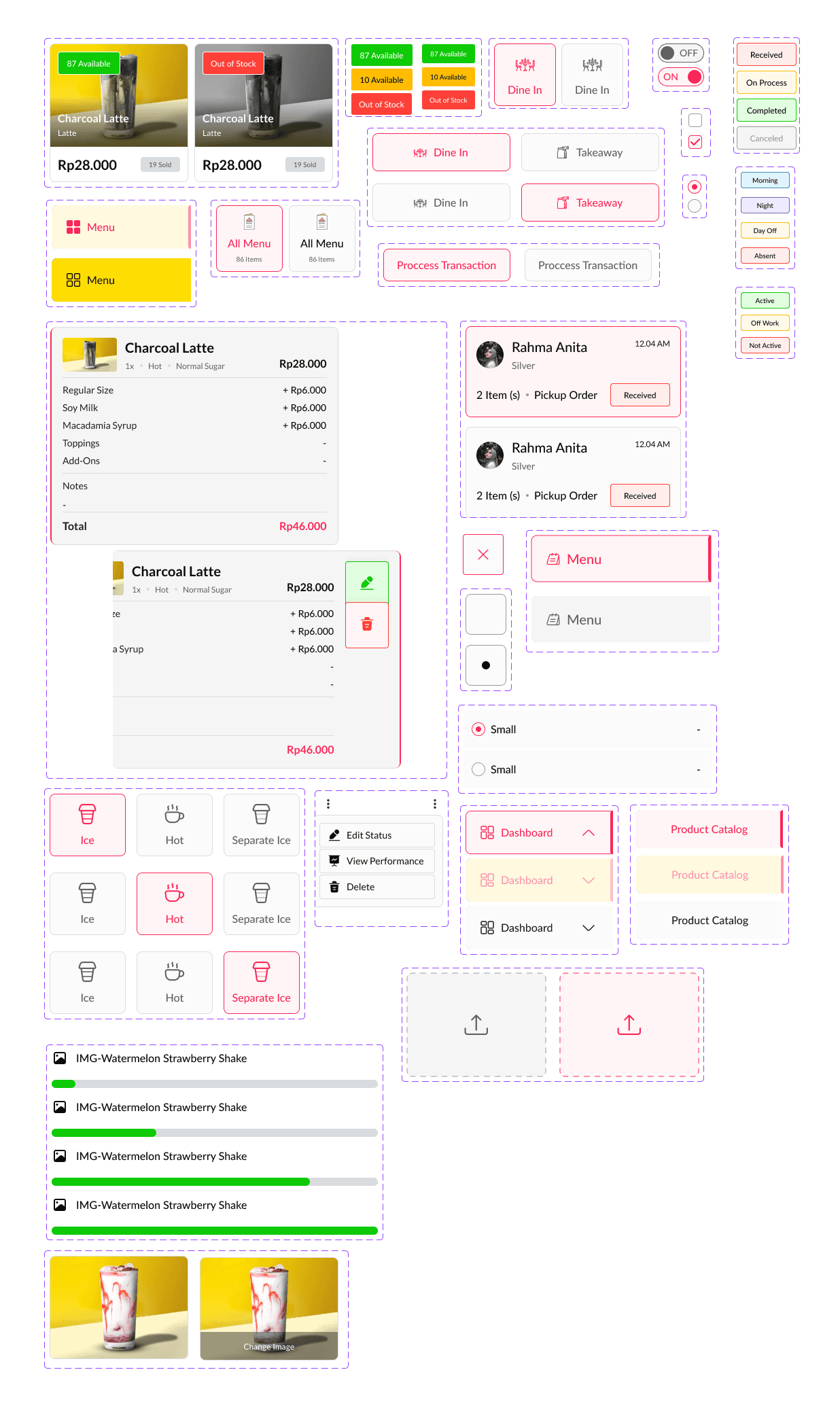
Components
Design Solution
1.
Login & Register Dashboard
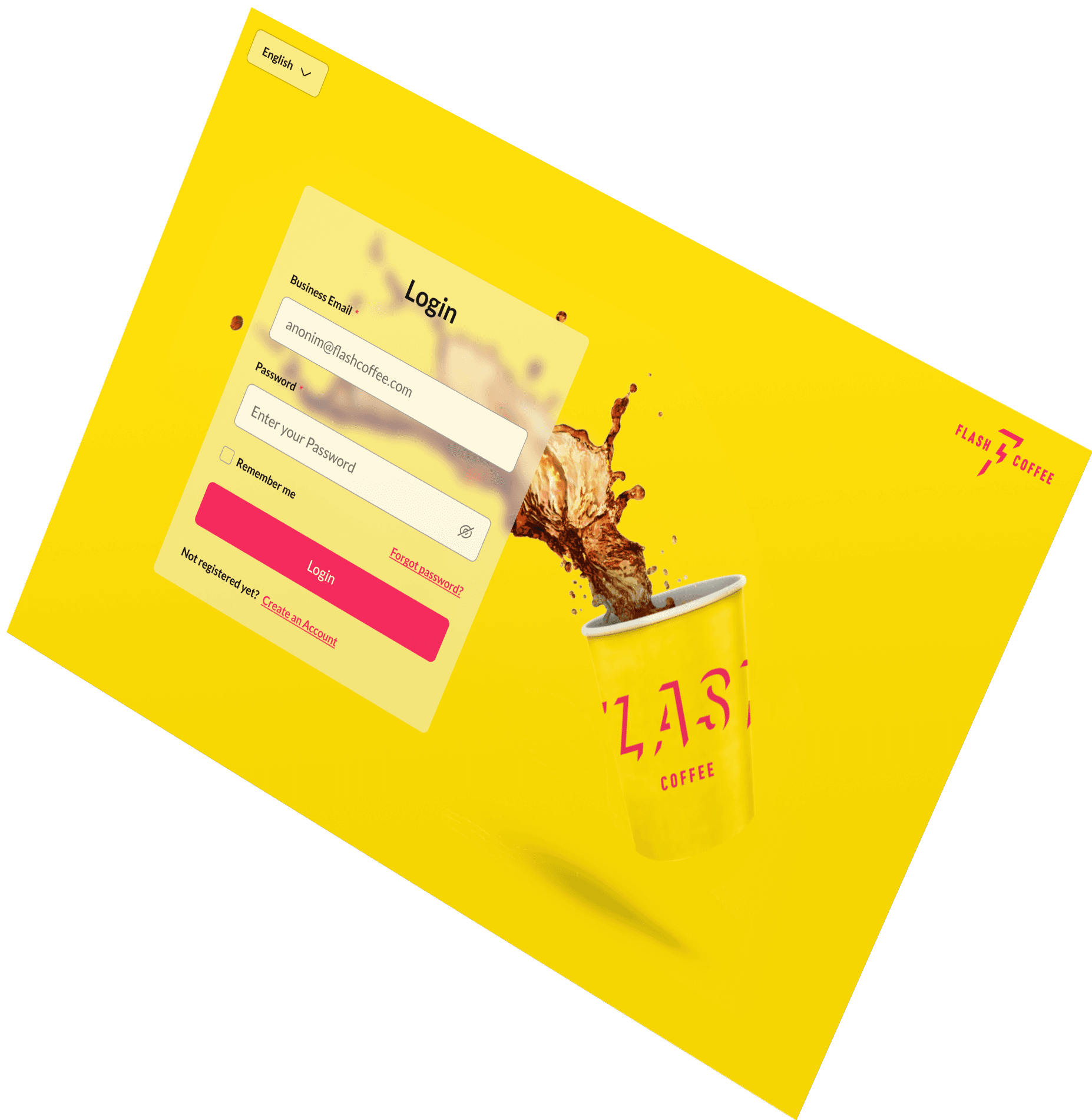
At the initial stage, when the manager is about to access the POS System dashboard for a specific outlet, in this case, the manager is opening a new outlet. Therefore, before accessing the dashboard, the manager needs to register or verify the new outlet/branch. Afterward, the manager must input their data as the super admin.
The initial step is to assign the manager to a specific outlet upon logging into the POS system. Similarly, for added employees or baristas, they will be automatically directed to their designated outlet upon logging in.
2.
Dashboard Manager
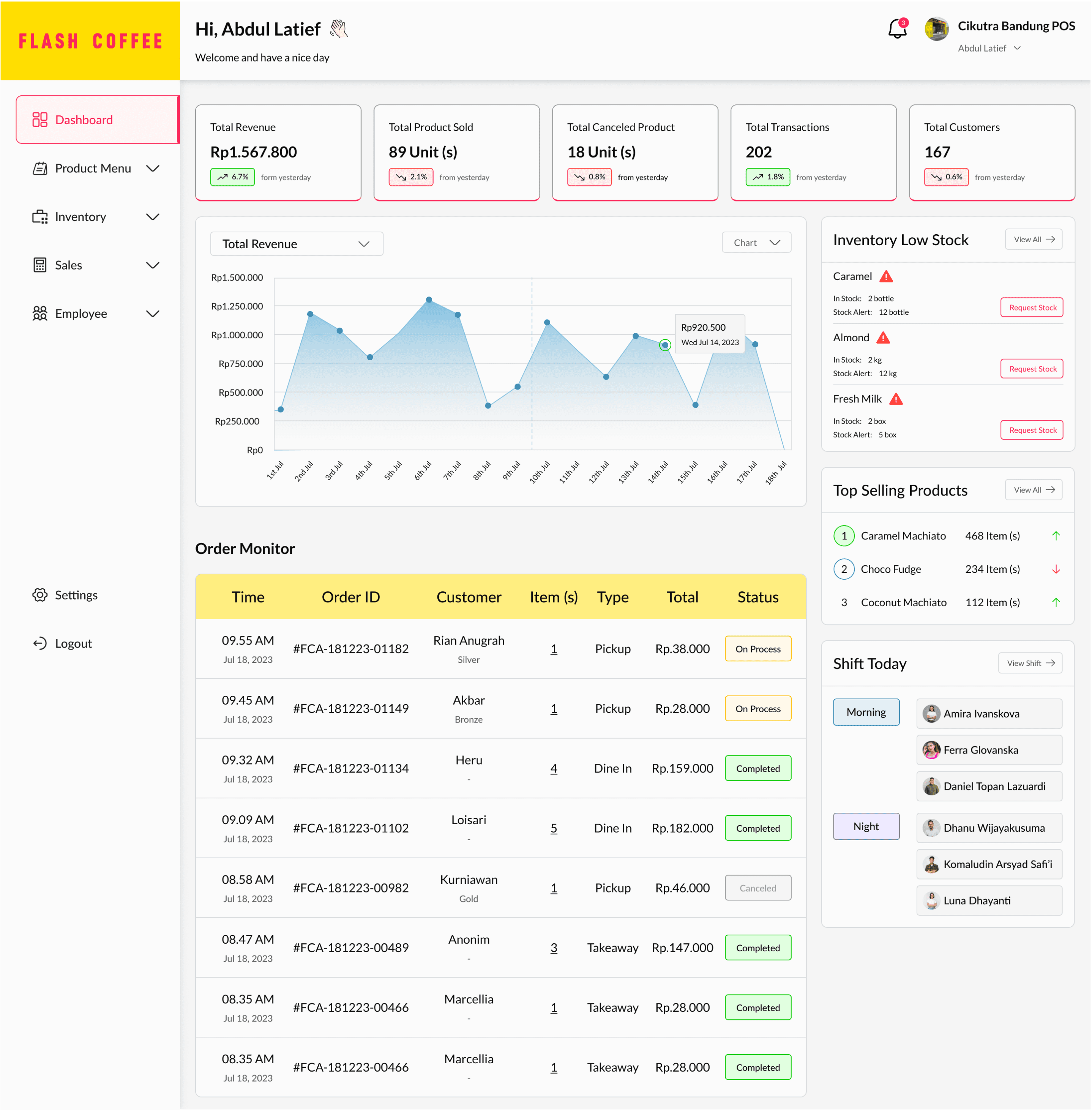
The dashboard page presents real-time daily data, allowing managers to instantly view updates on sales at their outlet.
Managers can view incoming orders and those being served by baristas in the POS system. Additionally, managers can directly see the baristas' shifts for the day.
3.
Menu Management
Based on the brief, a feature that allows users to manage the menu items, prices, and availability. Users should be able to add new menu items, update prices, and make menu items available or unavailable.
Add New Product/Item
Edit Product Price & Status
Assign Category to Items
Create New Promo
Edit Tax Status
4.
Inventory Management
Based on the brief, a feature that allows users to manage the inventory of ingredients and supplies. Users should be able to add new items ingredients, track the stock levels, request/supply ingredients, and set up alerts for low inventory.
Add New Ingredient
Request Stock
5.
Sales Management
Based on brief, a feature that allows users to track sales, including daily, weekly, and monthly sales reports. The system should provide real-time data on sales, so that users can quickly identify trends and make informed decisions.
6.
Barista Management
Based on the brief, a feature that allows managers to manage barista schedules and performance. Users should be able to assign shifts, add new baristas, track attendance, and view sales reports by baristas.
Add New Employee
Schedule & Performance Employee
Shift Assignment
7.
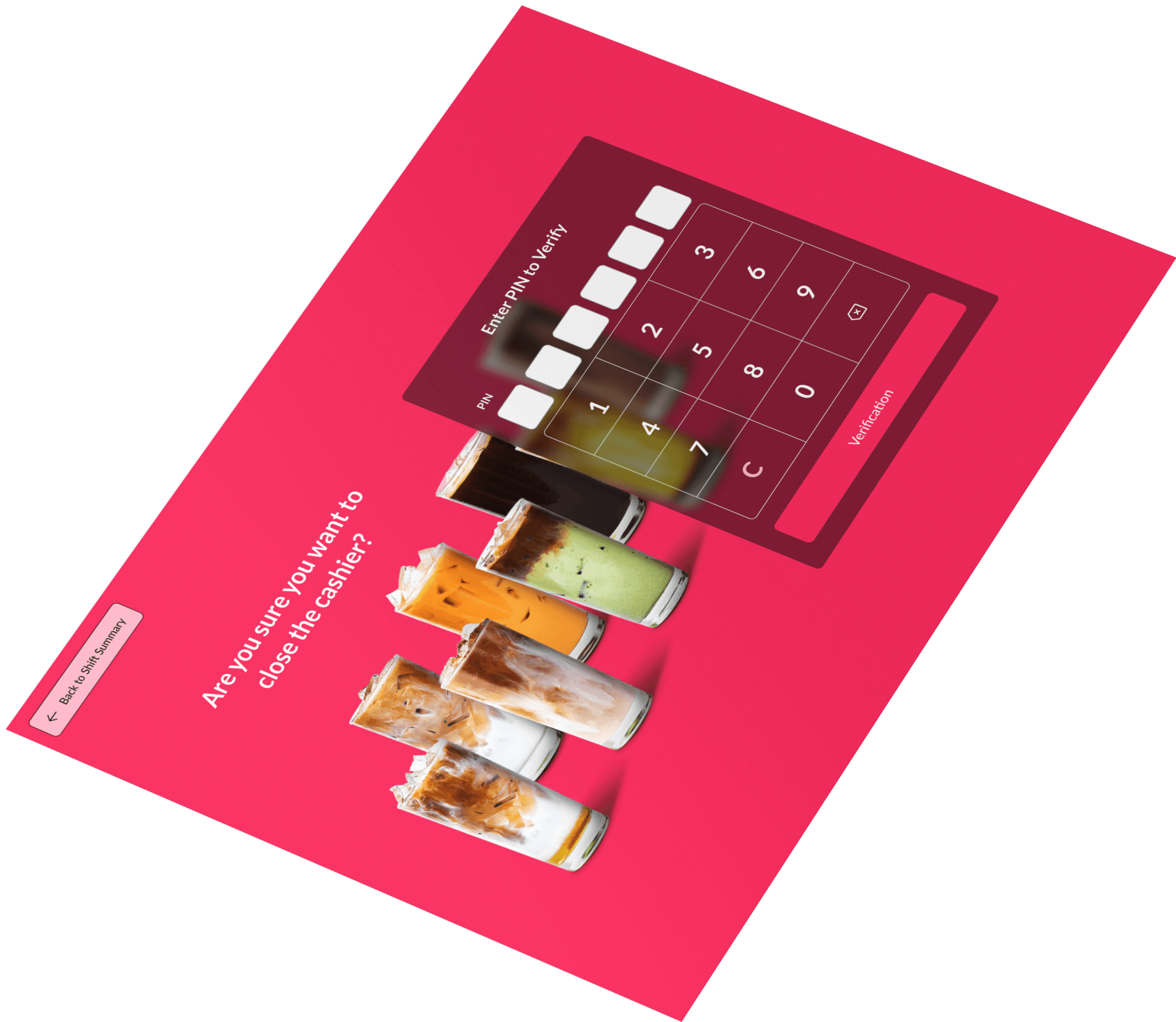
Order Management-Cashier (Tablet Version)
Based on the brief, a feature that allows baristas to take orders from customers, track the status of orders, and manage modifications to orders. The system should provide real-time data on order statuses so that users can quickly identify which orders are ready for pickup.